

› UKTH forums › UKTechHub News & Information › UKTechHub Advanced Search — Quick User Guide UKTechHub forum now includes an enhanced Advanced Search system designed to help you find topics, replies, authors, and discussions with far more precision than the standard bbPress search option currently...
- This topic has 1 reply, 1 voice, and was last updated 9 months ago by
 UK Sentinel.

- AuthorPosts
- January 12, 2026 at 1:15 pm #41358
UKTechHub forum now includes an enhanced Advanced Search system designed to help you find topics, replies, authors, and discussions with far more precision than the standard bbPress search option currently in use.
This guide walks you through how to use each feature.
1. Opening the Advanced Search
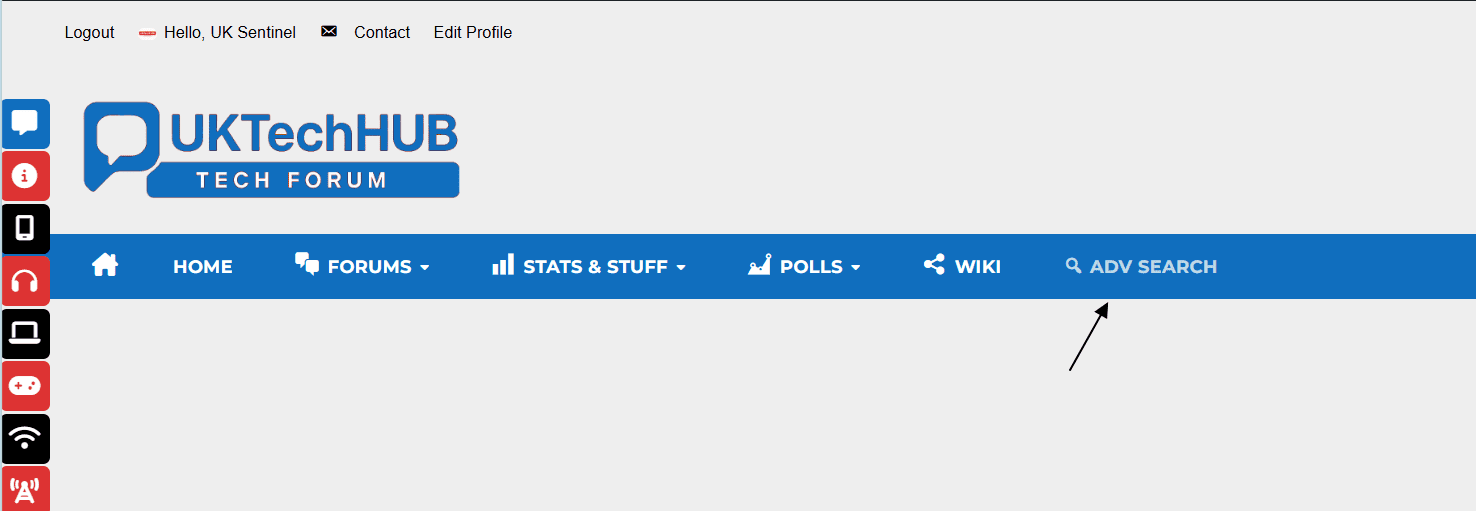
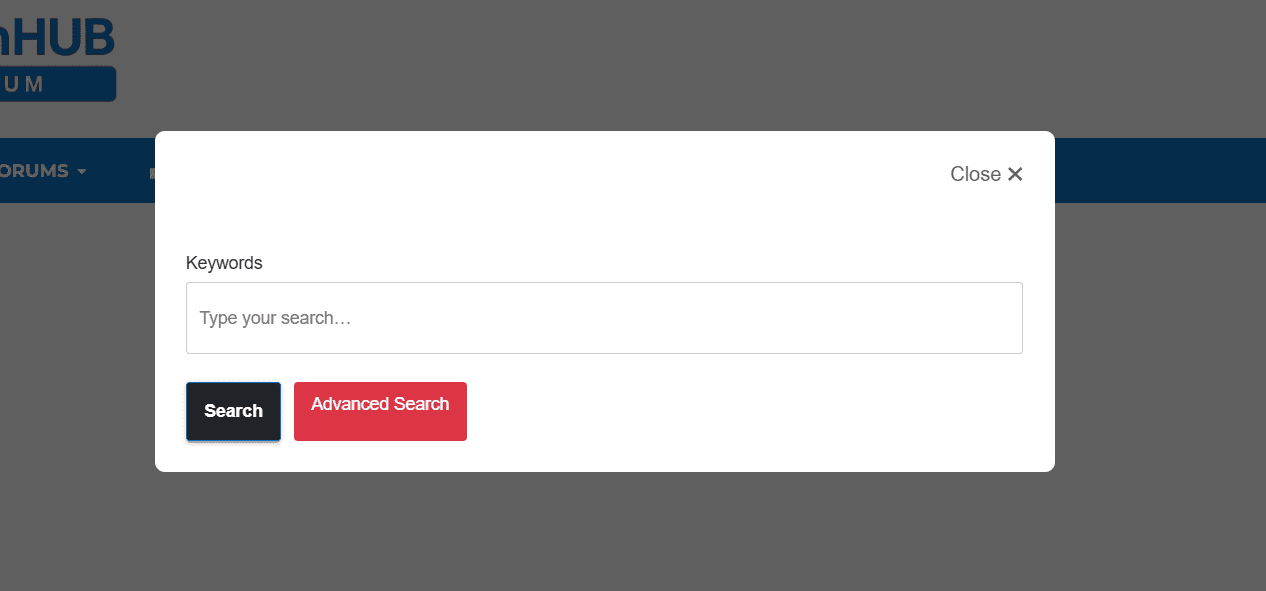
You’ll see a Search button or icon in the forum Main Title Bar. Click it to open the Advanced Search modal.
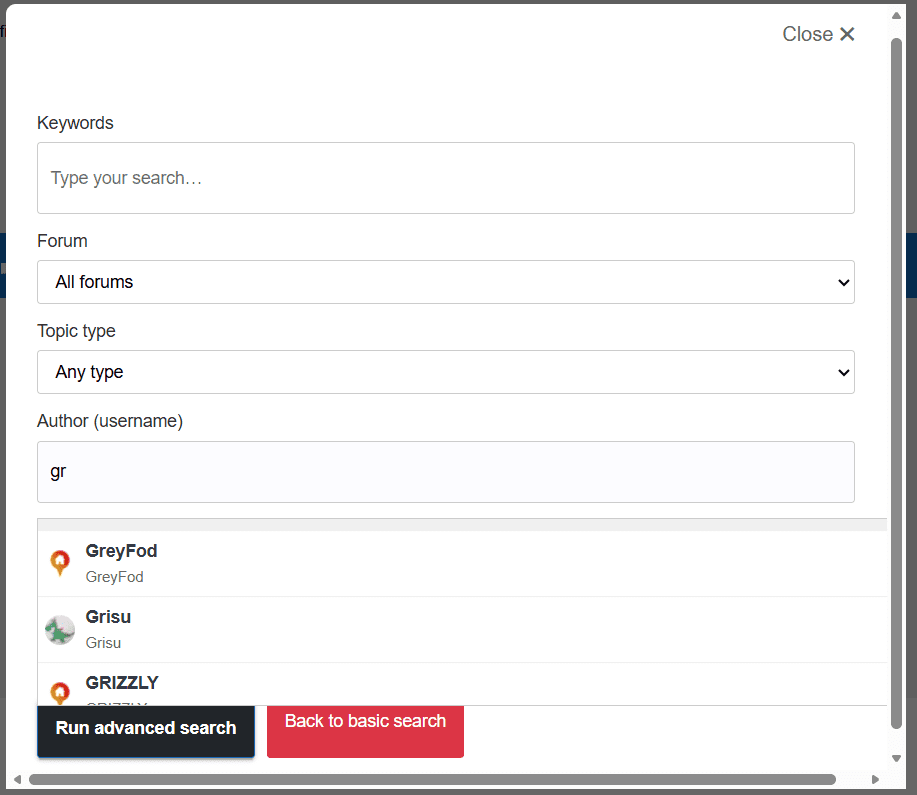
Inside the modal, you’ll find several optional filters you can use to refine your search.
.2. Search by Keyword
At the top of the modal is the main search box.
You can type:
- normal keywords
- partial words
- phrases
- @username (searches for posts by that user with a Keyword)
Example:
router firmware@gnutonNote: The system automatically removes the “@” symbol so bbPress handles the search correctly.
3. Search by Author
Start typing a username into the Author field.
- A live autocomplete dropdown appears
- You can select the user from the list
- Works for both guests and logged‑in users
- Only public information is shown (username, display name, avatar)
This is perfect for finding posts by a specific member.
4. Search by Forum
Use the Forum dropdown to limit your search to a specific section of the site.
Examples:
- “Android Phones”
- “PC Games”
If you leave this blank, the search covers the entire forum
5. Search by Topic Type
You can filter by:
- Normal topics
- Sticky topics
- Super‑sticky topics
Useful when you want to find official or highlighted threads.
6. Search by Date Range
You can choose from preset ranges:
- Last 24 hours
- Last 7 days
- Last 30 days
- Last 6 months
- Last year
Or use the Custom Date Range fields:
- “From” date
- “To” date
This helps you find older discussions or recent activity.
7. Sort Your Results
Choose how results are ordered:
- Newest first
- Oldest first
- Recently updated
- Most replies
- Most views
This gives you control over how results are displayed.
8. Running the Search
Once you’ve set your filters:
- Click Search
- You’ll be taken to the bbPress results page
- Results will match your chosen filters and sorting
The system is fully dynamic — nothing is cached — so you always see fresh, accurate results.
9. Tips for Best Results
- Use multiple filters together for very precise searches
- Searching by author + keyword is extremely effective
- Sorting by “Most Replies” helps find popular discussions
- Sorting by “Recently Updated” helps find active threads
- Use date ranges to narrow down large result sets
In a completely sane world, madness is the only freedom (J.G.Ballard).
You need to login in order to vote
January 12, 2026 at 1:15 pm #41360Still testing for bugs, but thought it good to share and I can live test.
In a completely sane world, madness is the only freedom (J.G.Ballard).
You need to login in order to vote
- AuthorPosts

- You must be logged in to reply to this topic.