

› UKTH forums › 🛜 Wireless Routers & Modems › ASUS & Wireless › Asus xt8 settings Hi guys I know your all busy,I believe your probably the only technical genius’s answer my questions about Asus xt8s settings, I have set up gig fibre 940 through 61...
- This topic has 29 replies, 4 voices, and was last updated 2 years, 9 months ago by
 UK Sentinel.

-
AuthorPosts
-
January 10, 2024 at 5:28 pm #29059
However, speedtests can be done only with one client and ALL others have to be down during test, otherwise you get wrong lower measurements.
Liked by:
You need to login in order to vote
January 10, 2024 at 5:52 pm #29060January 10, 2024 at 6:17 pm #29061As @Grisu details, best to test when nobody else is connected to your home network as this will then give you a true gauge of your internet speeds.
Make sure you test when you are connected to your Primary ASUS XT8 (not AiMesh Node) and from what I could see, your settings look good.
I did noticed on the second image you did a speed test today which scored / measured 503 Mbps and yesterday you did another speed test and that scored nearly 700 Mbps.
So interesting that there is such a variation ?
Liked by:
You need to login in order to vote
January 10, 2024 at 6:38 pm #29063I think the higher test,I was closer to the main router.
Liked by:
You need to login in order to vote
January 10, 2024 at 7:32 pm #29065The inbuilt ASUS Internet Speed Test measures speed from Router to Internet and does not matter how your connect to ASUS XT8 as this has no effect on speed test results.
Hopefully when nobody else including any devices are actively using the Internet, you can test connectivity more accurately to serve as a baseline
Liked by:
You need to login in order to vote
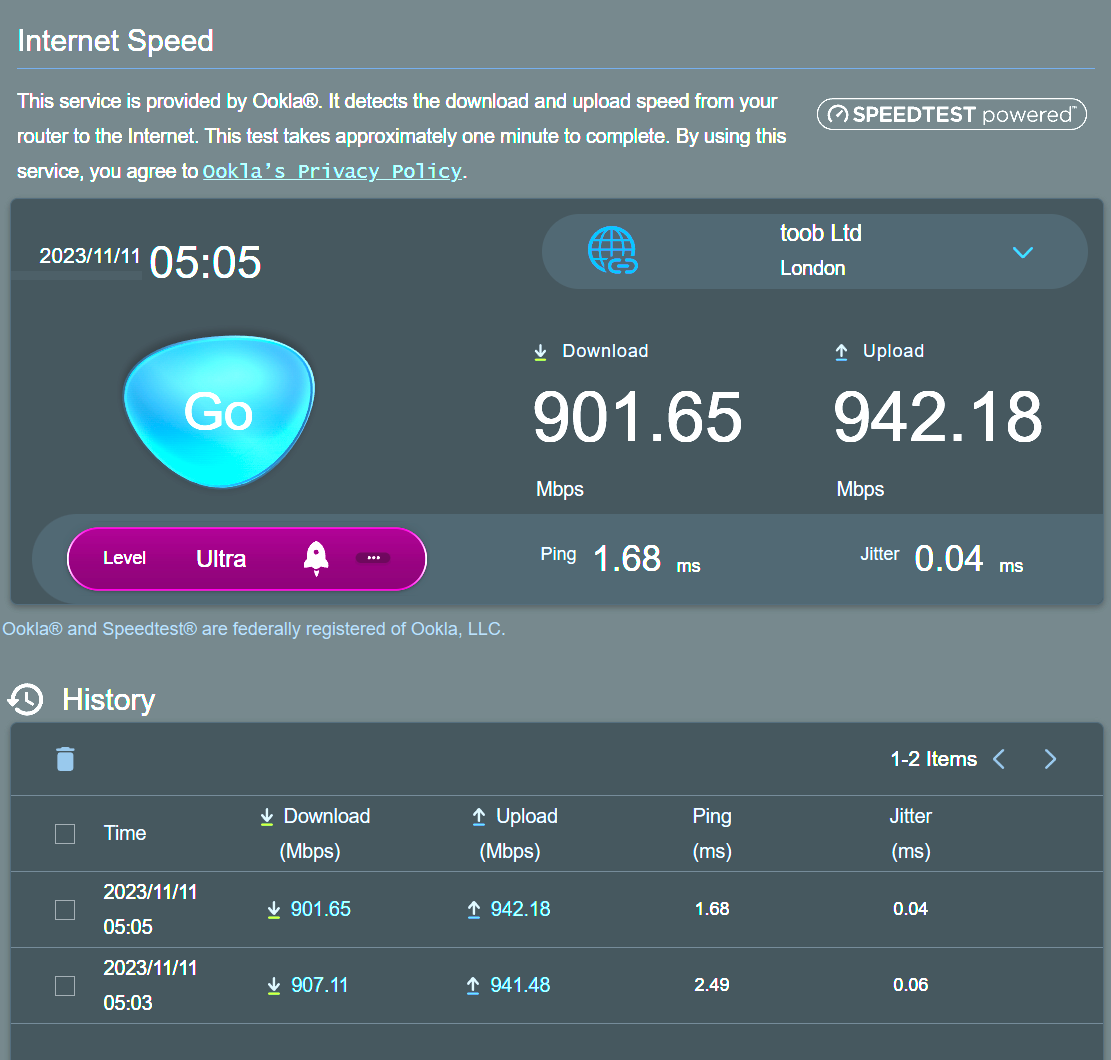
January 11, 2024 at 5:09 pm #29069I am with Hyperoptic and find that if I do a speed test during the day even via the inbuilt Asus one, I get around 650-700Mbps. During late night or early morning I get my full speed 900/900Mbps.
Remember to try different servers, ‘toob Ltd’ for me has consistently given the highest as I am in London.
Attachments:
Liked by:
You need to login in order to vote
January 11, 2024 at 5:19 pm #29071That is interesting, I did not appreciate full fibre connection speeds can change by that much.
Good to know
You need to login in order to vote
January 11, 2024 at 5:29 pm #29072So rest my router and connected via lan and got 940 , after weeks of research ,if you use qos bandwidth limiter, limit all the devices to their stable connection likes example TVs ,25 mb down/up
Amazon Alexa 12mb down/up and come through them all and connect via Dns your most important ones and then connect ethernet if possible.seems too the most promising solution, because if you you device will Max out your bandwidth if you let it.. can port fowarded likes of Xbox, etc if you want but depends on the person
Liked by:
You need to login in order to vote
January 11, 2024 at 5:47 pm #29073940 Mbps is a good result and yes QoS can be temperamental.
lots of users whom have QoS at that speed usually do not enable QoS.
so you are happier with your speeds now
Liked by:
You need to login in order to vote
January 11, 2024 at 5:53 pm #29074Hi pal I am, well am happier I understand the speeds now.haha, could always be faster couldn’t they haha.when everything finally changes to ipv6 and they allow 10g download/up loads where all be better off haha. If you able ipv6 on router does the devices automatically chose it? Is it 5.2 wireless basically?
Liked by:
You need to login in order to vote
January 11, 2024 at 6:32 pm #29075Unless you are running a pure IPv6 environment, devices generally will operate in an IPv6 / IPv4 environment in which devices receive both addresses, especially when connecting to the internet using a dual stack (IP protocol stack) supported router such as ASUS’s.
Lots of websites on the internet do not have an IPv6 address, so using a dual stack supported router helps with compatibility etc.
FYI: IPv6 is faster than IPv4 due to its lack of NAT, faster routing, packet processing. IPv6 makes it the better choice for anyone using a high-speed network.
You need to login in order to vote
January 11, 2024 at 7:28 pm #29076Most of that went over my head haha.but Thanks haha.what DNS server do you use 1.1.1.1 through the router or individual devices
You need to login in order to vote
January 11, 2024 at 8:29 pm #29077I use an OPENDNS Family Shield ip for my general family DNS on the Router as this has built in Parental Controls for content etc.
Our Xbox’s use a separate DNS for gaming (1.1.1.1) etc.
You need to login in order to vote
January 16, 2024 at 8:05 pm #29205Hey guys is wan MTU the MTU you adjust or is it a different MTU?
Attachments:
You need to login in order to vote
January 16, 2024 at 9:12 pm #29214WAN MTU is usually under Advanced Settings > WAN > Account Settings
Liked by:
You need to login in order to vote
-
AuthorPosts




- You must be logged in to reply to this topic.