

› UKTH forums › 📱 Mobile › iPhones › Selling an iPhone or Apple Watch? Don’t forget about Activation Lock If you’ve sold an old iPhone or Apple Watch and the buyer tells you they can’t set it up because it says “Locked to Owner”, it can be quite confusing,...
- This topic has 1 reply, 1 voice, and was last updated 3 weeks, 6 days ago by
 UK Sentinel.

- AuthorPosts
- September 8, 2026 at 8:06 pm #43352
If you’ve sold an old iPhone or Apple Watch and the buyer tells you they can’t set it up because it says “Locked to Owner”, it can be quite confusing, especially if you thought you’d already removed the device from your Apple Account.
This is something that is easy to get wrong because erasing a device and removing Activation Lock aren’t necessarily the same thing.
What is Activation Lock?
Activation Lock is part of Apple’s Find My security system. It links the device to the owner’s Apple Account and is designed to stop someone else from using a device if it has been lost or stolen.
The important thing when selling a device is therefore not just to erase your personal data, but to make sure the device is no longer linked to your Apple Account.
Apple Watch
With an Apple Watch, the safest approach is to unpair it from the iPhone it is connected to before selling it.
The normal unpairing process erases the Watch and removes the Activation Lock as part of the process.
If the Watch has already been sold and you no longer have it, you can check Find Devices in iCloud:
Sign in with the Apple Account that was previously used with the Watch and look under All Devices.
If the Watch is still listed, check the available options. Depending on its status, you may be able to erase it and then Remove This Device, which removes the Activation Lock.
iPhone
The same basic issue applies to iPhones.
Before selling an iPhone, the best approach is to sign out of your Apple Account and use Erase All Content and Settings. This should leave the phone ready for its new owner to set up.
If you’ve already sold the phone, you can also use Find Devices in iCloud to check whether it is still associated with your account and, where necessary, remove it from Find My.
One thing worth remembering
Simply factory resetting a device doesn’t mean that Activation Lock has been removed.
For example, a buyer might receive an iPhone or Apple Watch that has been completely wiped. When they try to set it up, however, they can still be presented with:
iPhone Locked to Owner
or
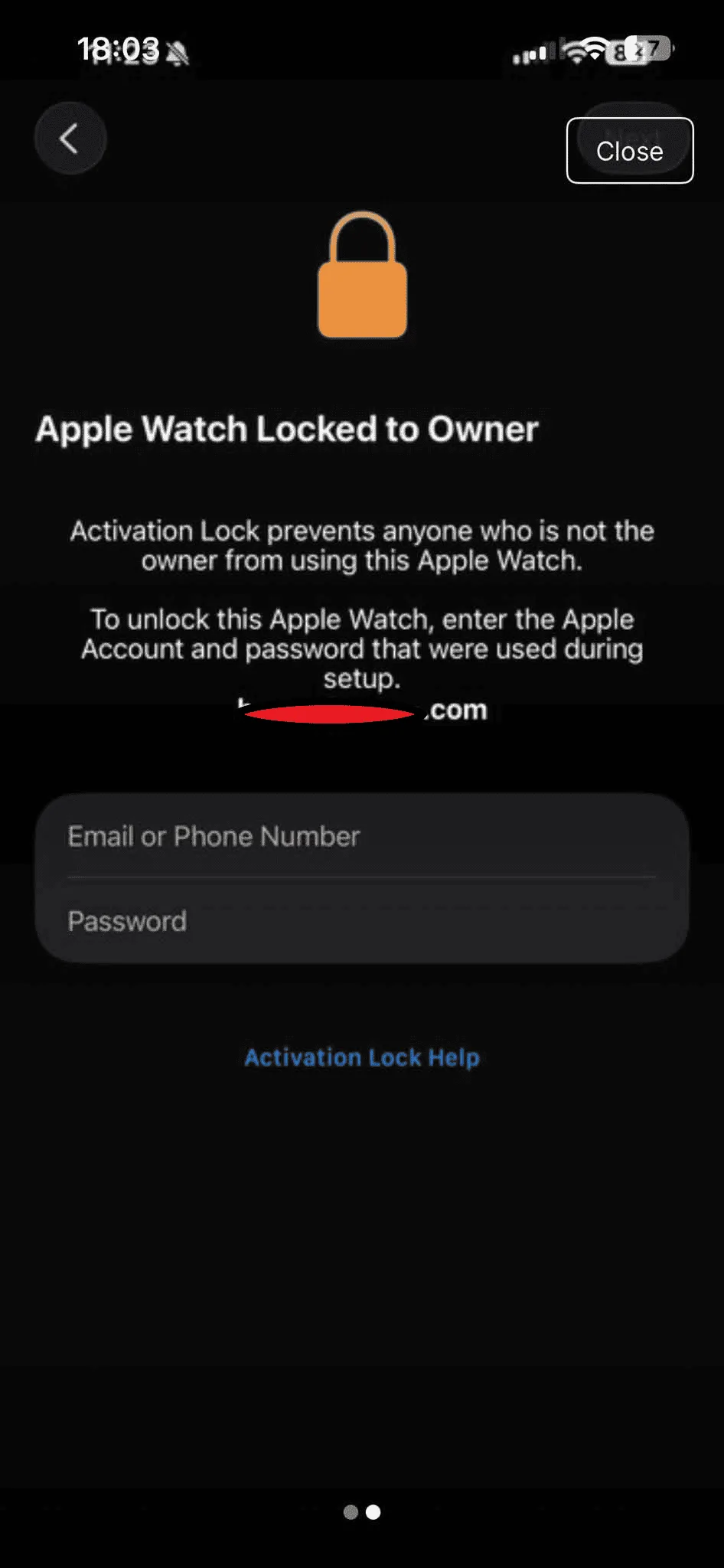
Apple Watch Locked to Owner
At that point, the previous owner needs to remove the device from their Apple Account/Find My before the new owner can activate it.
If you’re selling an Apple device
It’s worth checking this before handing the device over to the buyer.
Don’t just make sure your photos, messages and other personal information have been erased. Make sure the device has also been properly unpaired/signed out and removed from your Apple Account, so the new owner can activate it with their own account.
It’s an easy thing to overlook, particularly if the device was sold months ago and you assumed that removing it from your devices list had completely dealt with the problem.
A few minutes spent checking this before selling can save both you and the buyer a lot of hassle later.
Note:
If you’ve already sold the device and no longer have it, you can check its status through Apple’s Find Devices service.
Sign in with the Apple Account that was previously linked to the device, select the iPhone or Apple Watch under All Devices, and check the options available. If necessary, you may be able to erase the device and then Remove This Device to remove Activation Lock.
Attachments:
In a completely sane world, madness is the only freedom (J.G.Ballard).
You need to login in order to vote
September 8, 2026 at 8:31 pm #43354I had this exact problem only the other day hence the above reference. I sold an Apple Watch over a year ago, but for some weird reason, the new owner contacted me to say it was ‘Locked to Owner’ after they did a factory reset
.They were also miffed because they’d set up an Apple Watch with their new Apple Account and everything was working well.
In a completely sane world, madness is the only freedom (J.G.Ballard).
You need to login in order to vote
- AuthorPosts
 .
.
- You must be logged in to reply to this topic.