

› UKTH forums › 🛜 Wireless Routers & Modems › ASUS & Wireless › ASUS xDSL (PPPoE) Bridge Mode ASUS xDSL (PPPoE) Bridge Mode Applies to the following xDSL Modem/Routers – is applicable for DSL-AC68U, DSL-N66U, DSL-N17U, DSL-AC56U, DSL-AC52U, and DSL-N16. PPPoE stands for Point-to-Point Protocol over Ethernet, a... › Reply To: ASUS xDSL (PPPoE) Bridge Mode ASUS xDSL (PPPoE) Bridge Mode Applies to the following xDSL Modem/Routers – is applicable for DSL-AC68U, DSL-N66U, DSL-N17U, DSL-AC56U, DSL-AC52U, and DSL-N16. PPPoE stands for Point-to-Point Protocol over Ethernet, a…

Nope, I have to use NAT with ac68u with pppoe relay because, I need to identify the dsl interface using ac68u with Vlan ID because my ISP uses 802.1Q.
I have a rt-ac5300 behind dsl-ac68u and I cannot set Vlan ID with rt-ac5300. There is no 802.1Q setting on the ac5300 router.
Disabling NAT on the WAN/Internet Connections on AC68U doesn’t help either because I lose internet connection with NAT disabled.
Here is what I did.
On AC68U,
I enabled PPPoE relay.
Connected LAN 1 of AC68U to WAN of RT-AC5300
Changed the IP address of AC68U to 192.168.0.1 (using similar DHCP range)
On DHCP server I assigned a static IP to RT-AC5300 WAN MAC so it is easy to access.
AC68U WAN settings are attached.
I had to use automatic IP here but I don’t know how correct it is. Any idea?
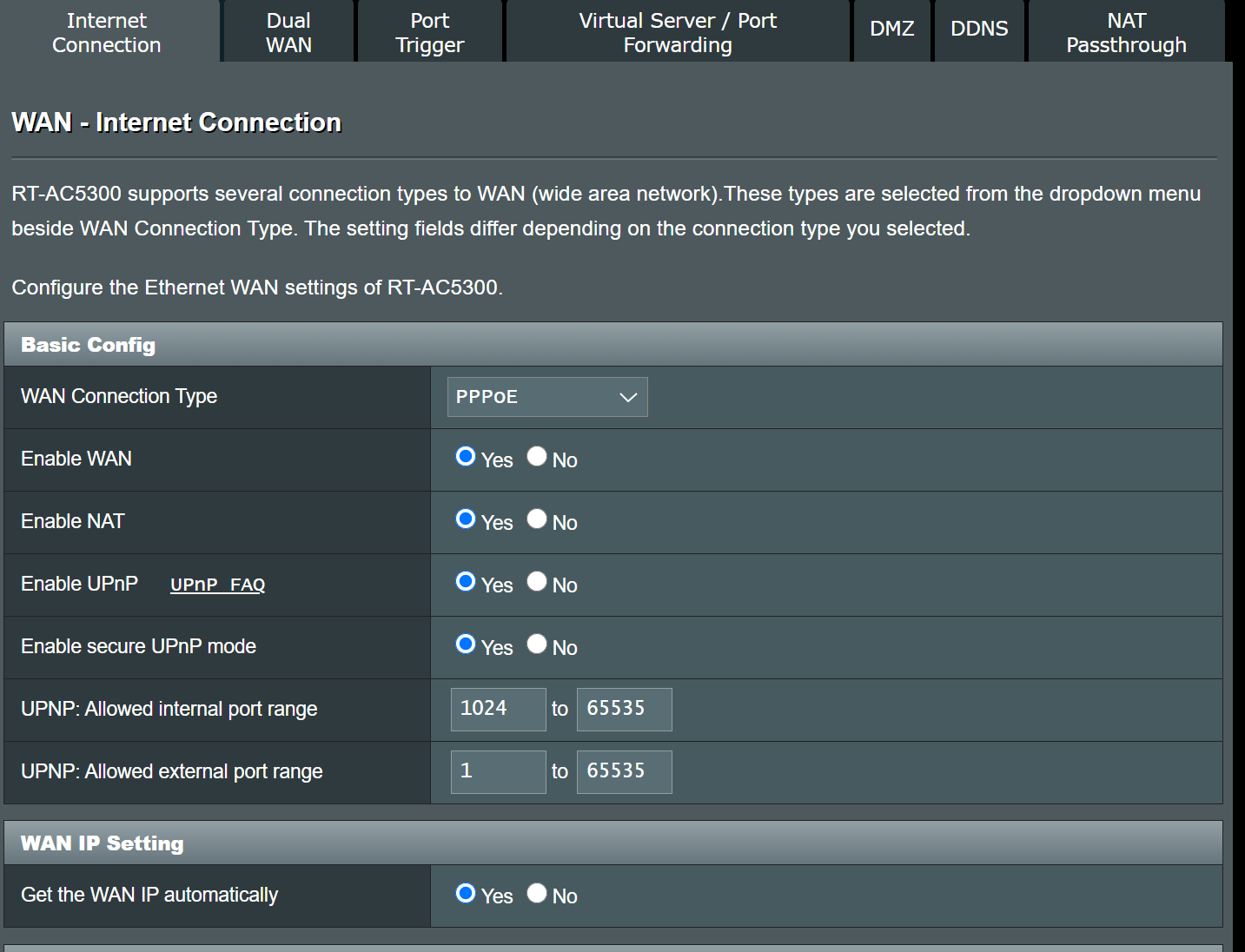
AC5300 WAN settings are attached.
According to logic I should be behind double NAT. However, I checked and apparently I am not. Well, at least I can access my devices just fine without any port forwarding on the ac68u.
Also, I get the attached warning message on the DSL-AC68U GUI with these settings.
“Your ISP’s DHCP does not function properly.”
Attachments:



You need to login in order to vote