

› UKTH forums › 🛜 Wireless Routers & Modems › ASUS & Wireless › Latest Beta Firmwares for DSL-AC51 to DSL-N66U incl. DSL-AC750 Latest DSL ASUSWRT firmware v9.1.2.3_502-g2bdb05b now available. (latest firmware’s are at end of threads) For following ASUS DSL Modem Routers: DSL-AC51 DSL-AC52U DSL-AC55U DSL-AC56U DSL-AC750 DSL-N10-C1 – (extended beta support... › Reply To: Latest Beta Firmwares for DSL-AC51 to DSL-N66U incl. DSL-AC750 Latest DSL ASUSWRT firmware v9.1.2.3_502-g2bdb05b now available. (latest firmware’s are at end of threads) For following ASUS DSL Modem Routers: DSL-AC51 DSL-AC52U DSL-AC55U DSL-AC56U DSL-AC750 DSL-N10-C1 – (extended beta support…

The latest beta version provided in the links above when connecting to VPN on logs says OpenSSL 1.0.2d from 2015. Also i remember that on latest stable i can’t connect to VPN for a reason.
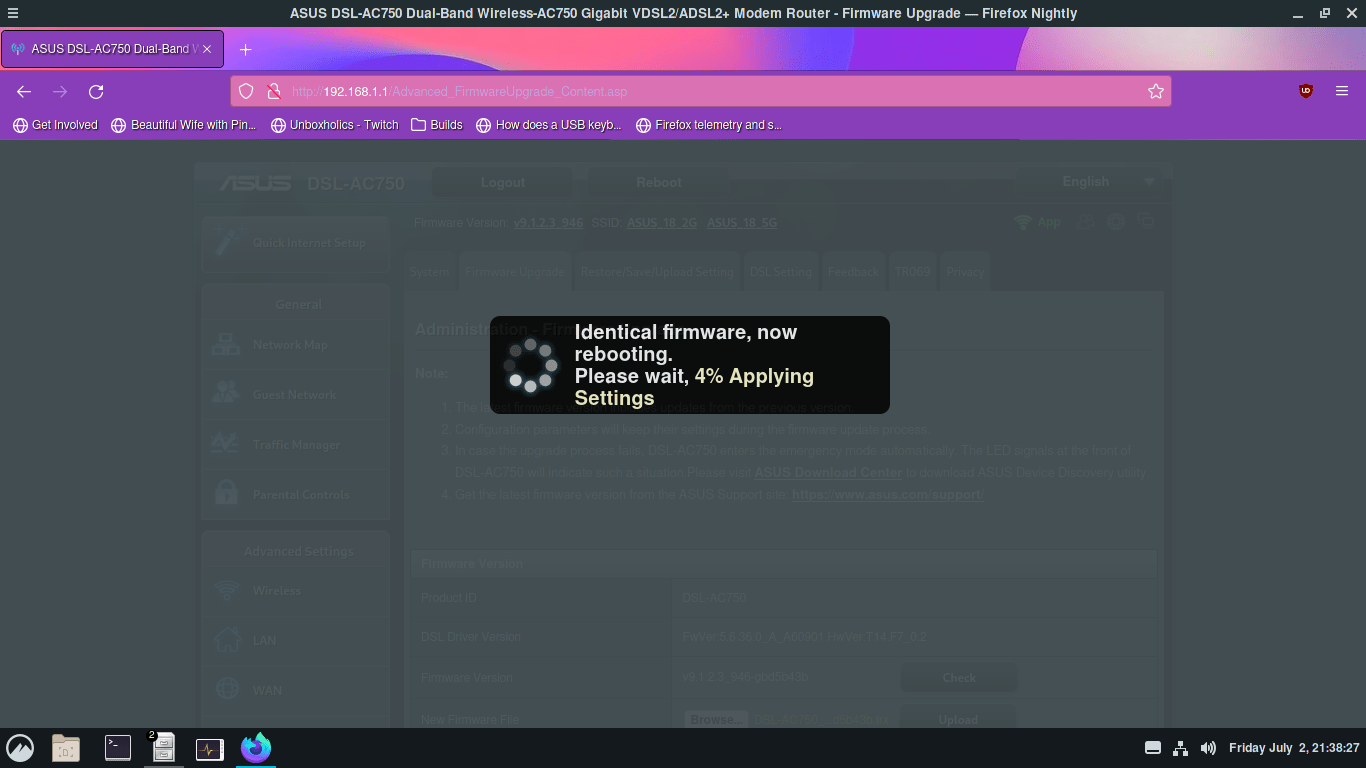
So i did a hard reset (press the button to reset), a factory reset and i tried to upload the same firmware (identical firmware rebooting).
It seems like the DSL Log problem is not there anymore.
I can confirm that the Status page is not working and moving between status pages (maybe when you spam it fast) on first page (index2) could be the fault that create the TCP time bucket problem. The problem exists without internet connection and happens when im logged in. ( i will also try to move back to older stable firmware if possible and reupload to beta one and post if the status page is broken )
I also found another problem that i had on the past and reproduced it now 3 times.
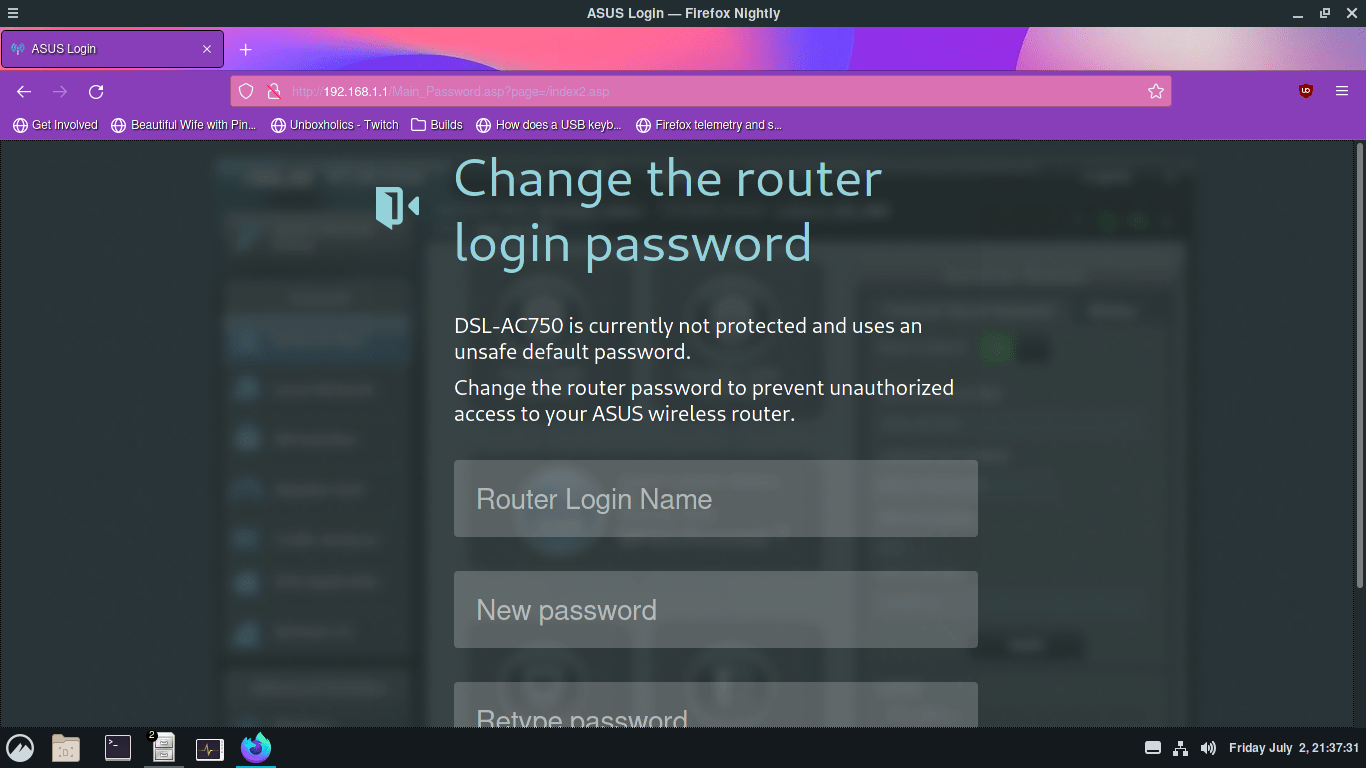
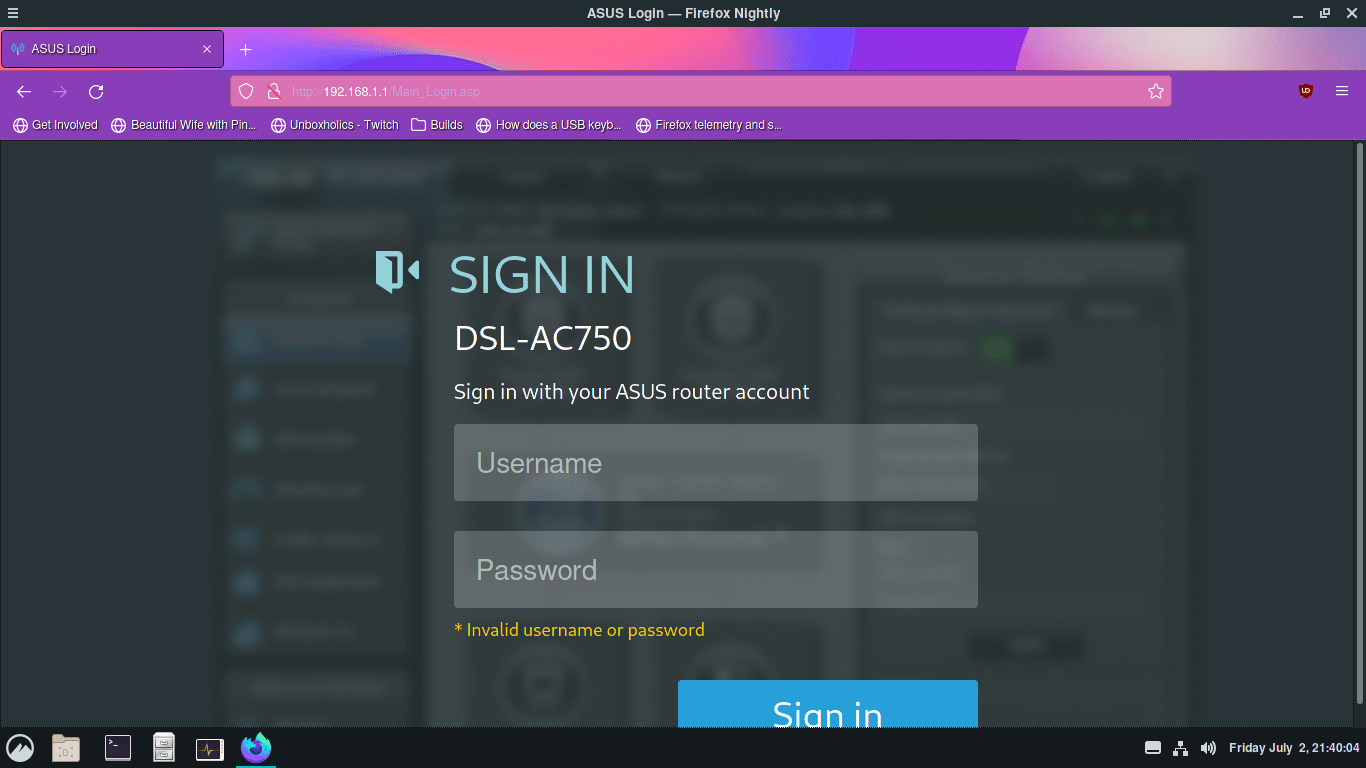
On setup page after a reset, if you skip the username password configuration, then configure the wifi and press Complete the router will drop you to a page to configure the username and password. After doing this i tried to upload the firmware and when the proccess was done (router reboot) i was locked out of the account (default credentials or the one i choose not working). I posted some pictures down for this.
Attachments:


You need to login in order to vote