

› UKTH forums › 🛜 Wireless Routers & Modems › ASUS & Wireless › Latest Beta Firmwares for DSL-AC51 to DSL-N66U incl. DSL-AC750 Latest DSL ASUSWRT firmware v9.1.2.3_502-g2bdb05b now available. (latest firmware’s are at end of threads) For following ASUS DSL Modem Routers: DSL-AC51 DSL-AC52U DSL-AC55U DSL-AC56U DSL-AC750 DSL-N10-C1 – (extended beta support...
- This topic has 1,129 replies, 77 voices, and was last updated 1 year, 6 months ago by
 UK Sentinel.

- AuthorPosts
- June 22, 2021 at 6:21 am #14019
[quote quote=14018]the latest flash is working for DSL-ac55u. Guys, Have you unzipped the downloaded file before upload it to router, right? :)[/quote]
You need to login in order to vote
June 22, 2021 at 9:39 am #14020Another firmware release and hopefully will address previous update probelems – Usual UKTH ASUS Beta T&Cs Firmware applies (Top of Forum)
——–
DSL ASUSWRT Beta firmware v9.1.2.3_946-gbd5b43b now available, this version addressed the Live Update issue you raised earlier plus other bug fixes/ enhancements. Release note will be provided later. Thanks.
2021_06_10_v9.1.2.3_946-gbd5b43b
https://www.asuswebstorage.com/navigate/a/#/s/EEC625C71D7A4859A30D12858B7F0193Y
- [MT7592][MT7610][MT7612] FragAttacks WiFi Security Vulnerabilities patch adopted.
- [MT7592] Update profile for Wifi driver. Sometimes 2.4G Wireless cannot use iPhone Airplay to Apple TV.
- Fixed the issue that lpd crashed caused by nmap attack.
- Update DSL PTM ISP list. Add Australia ISP into QIS VDSL WAN profile.
- Fixed web server related issue.
- Fixed Web UI related issues.
- Fixed ASUScomm.com DDNS cannot work issue.
- [MT7610] EDCCA fine tune patch. Fixed some customers might not be able to connect to WiFi 5G again after using it for a long time. They must reboot before they can connect to WiFi 5G again.
- GUI: Add help message to ‘G.INP Stability Adjustment’ option for VDSL.
- QIS.ppp: Set pre-filled ppp login/password for United Kingdom/Scotland/Ireland ISP : BT braodband & BT Business & BT infinity.
- [DLA] Drop auto changing DSL modulation to G.DMT.
You need to login in order to vote
June 22, 2021 at 8:30 pm #14042i tried to flash and again on DSL-N55U-C1
and still Error message: Invalid firmware, now rebooting
but i downloaded Rescue_2000 (firmware restoration tool)
then i rebooted the router to recovery mode (holding the reset button while switching on the router)
and configured the network TCP/IPv4 manually to (IP address: 192.168.1.10 – subnet mask: 255.255.255.0
and flashed the firmware from restoration tool
i done it with hope to not break the router if the firmware Invalid
but it worked fine 2021_06_10_v9.1.2.3_946-gbd5b43b
i still don’t know why this happened but maybe v9.1.2.3_925 firmware causing this
hope this could help if some one have the same issue
many thanks
Liked by:You need to login in order to vote
June 29, 2021 at 7:40 am #14142Hello.
I bought ASUS DSL-AC51 to replace the deceased Zyxel DSL.
Main connection via LTE router Kroks, backup via DSL ISP.
The DSL connection works perfectly, but the link from the Korks router does not always rise when the ASUS is rebooted or turned on – the indication blinks when the router starts, and then disappears and ASUS writes – WAN disconnect.
When Zyxel was standing, there was no such problem, and if instead of Kroks you turn on a another router, everything also works fine. Some kind of incompatibility between ASUS and Kroks. Contacted Kroks support – got some advice disable DHCP, IPv6, but it didn’t help.
How do I fix the problem?
I thinking in the direction of restarting the WAN port, where Kroks is connected, after full launch of ASUS through a script … Unfortunately, my knowledge of ASUS firmware is very weak, ifconfig nas12 down + ifconfig nas12 up does not help!P.S. sorry for my bad English!
Workaround: As a temporary solution, disconnecting or reconnecting the network cable in the connector from the Kroks router helps. After this manipulation, the WAN connection is up and everything starts working normally.You need to login in order to vote
June 29, 2021 at 9:51 am #14148Welcome, so the ASUS DSL-AC51 is for your DSL Backup ?
Does the ASUS router give any indication of DHCP issues within the logs ?
Maybe “idle time-out” but not sure if DSL-AC51 has this option ?
https://support.zen.co.uk/kb/Knowledgebase/Broadband-How-to-disable-the-idle-timeout-on-Asus-routers
and
https://uktechhub.com/forums/topic/wan-connection-drops-on-asus-dsl-n16/page/2/#post-5564
and
Not sure if this helps as more DSL WAN problem fix, at wan>internet connection>additional pppd options … insert the command
lcp-echo-interval 0
If 0 will not connect, try the commands 60,50,40,30
You need to login in order to vote
July 2, 2021 at 5:55 pm #14188I have updated to latest beta version. DSL AC750
It is now stable with my line but i have some problems. The CPU Ram Usage is not functional (the usage status is 0 and the bar indicator is full) and it creates kinda a dos attack on it’s own (log files report kernel: TCP: time wait bucket table overflow) making the router some times freeze.
I have contacted asus yesteday.
Also i have a problem i saw before on this thread where in DSL Log the SystemVendor ID will display
System Vendor ID
sh used greatest stack depth: 13240 bytes left
I attached a log file.
EDIT:
OW MEN i just noticed they use OPENSSL 1.0.2d from 2015 for VPN Connection from router.
UK Sentinel i think we really need to ask them to update this.
Attachments:
You need to login in order to vote
July 2, 2021 at 6:09 pm #14191I remember the ‘TCP: time wait bucket table overflow’ from a long time ago, does the log messages disappear after with no clients connected ?
The DSL-AC750 and others are low end devices (cost) with minimal hardware, I will ask ASUS but I am sure they will say the hardware cannot support newer version
I have had simular conversations about other protocols, but if I do not ask, we will never know
Liked by:You need to login in order to vote
July 2, 2021 at 6:13 pm #14193This error only happens when i touch the start page as i said trying to view the CPU Usage etc.
I haven’t seen it on log’s pop up on it own. If im not connected to the router and not touching the status pages from what i’ve seen the last day, yes it is not even appears and it stops spamming the logs.
EDIT:
Im thinking of buying DSL AC68U do you think it worth it? Or do you know if it will be an end of life soon? The price right now is 130 euros.
You need to login in order to vote
July 2, 2021 at 6:20 pm #14196If this was not a issue with previous firmware versions, then a factory reset and rebuild from scratch (not backup) will help remove (or prove) any possible faults with latest firmware updates ?
Liked by:You need to login in order to vote
July 2, 2021 at 6:23 pm #14198I will do now a hard reset and reupload of firmware and tell you about the TCP Bucket.
sh greatest stack on DSL Log or some weird other output was also in the older stable builds from asus website from what i remember.
You need to login in order to vote
July 2, 2021 at 6:38 pm #14199I have jut had a quick look at the DSL-AC750 changelog and see below:
Version 1.1.2.3_743 (2019/08/30 )
https://www.asus.com/Networking-IoT-Servers/Modem-Routers/All-series/DSL-AC750/HelpDesk_Download/
– OpenVPN updated: v2.4.7, now supports TLS 1.1, 1.2, 1.3 and OpenSSL 1.1.
DSL AC68U is not worth the money and will soon be dropped I am sure, they do have the DSL-AX82U, but maybe a tad expensive ?
Liked by:You need to login in order to vote
July 2, 2021 at 7:34 pm #14201The latest beta version provided in the links above when connecting to VPN on logs says OpenSSL 1.0.2d from 2015. Also i remember that on latest stable i can’t connect to VPN for a reason.
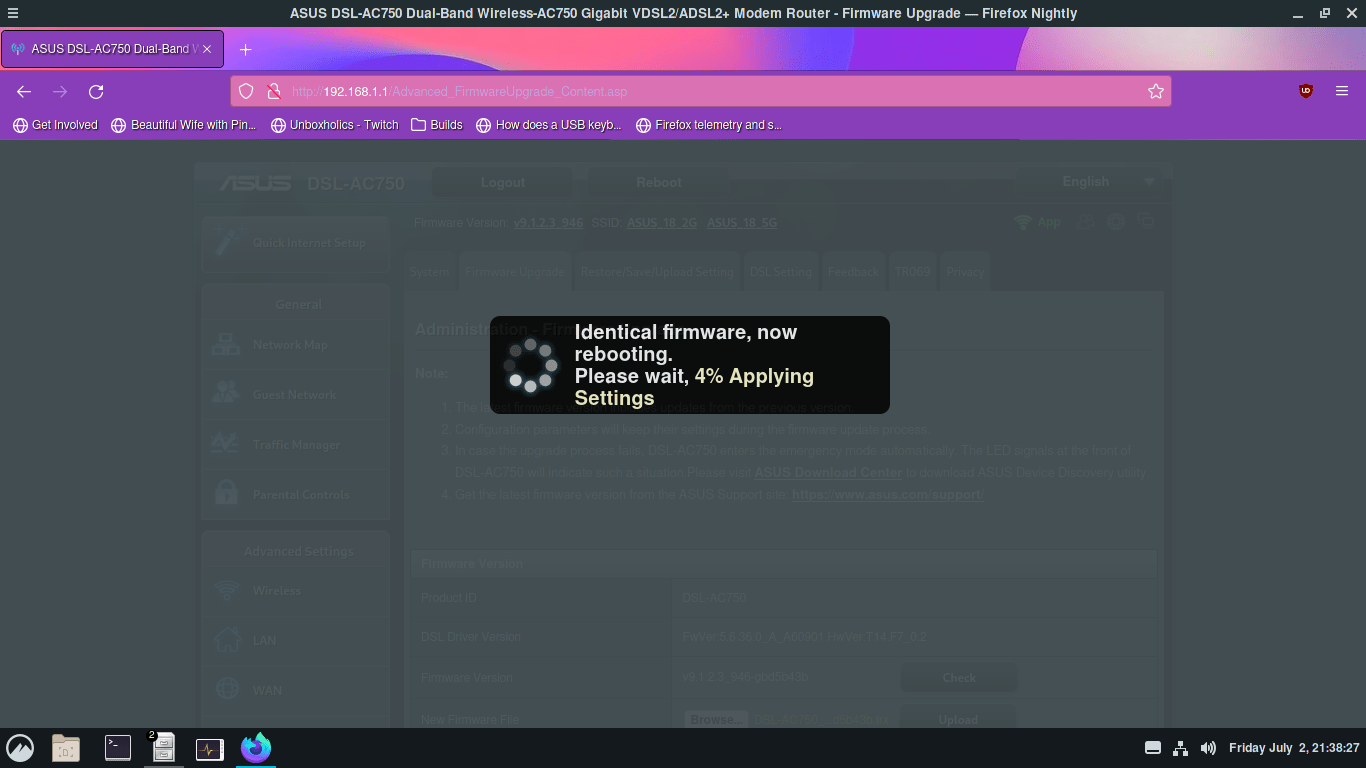
So i did a hard reset (press the button to reset), a factory reset and i tried to upload the same firmware (identical firmware rebooting).
It seems like the DSL Log problem is not there anymore.
I can confirm that the Status page is not working and moving between status pages (maybe when you spam it fast) on first page (index2) could be the fault that create the TCP time bucket problem. The problem exists without internet connection and happens when im logged in. ( i will also try to move back to older stable firmware if possible and reupload to beta one and post if the status page is broken )
I also found another problem that i had on the past and reproduced it now 3 times.
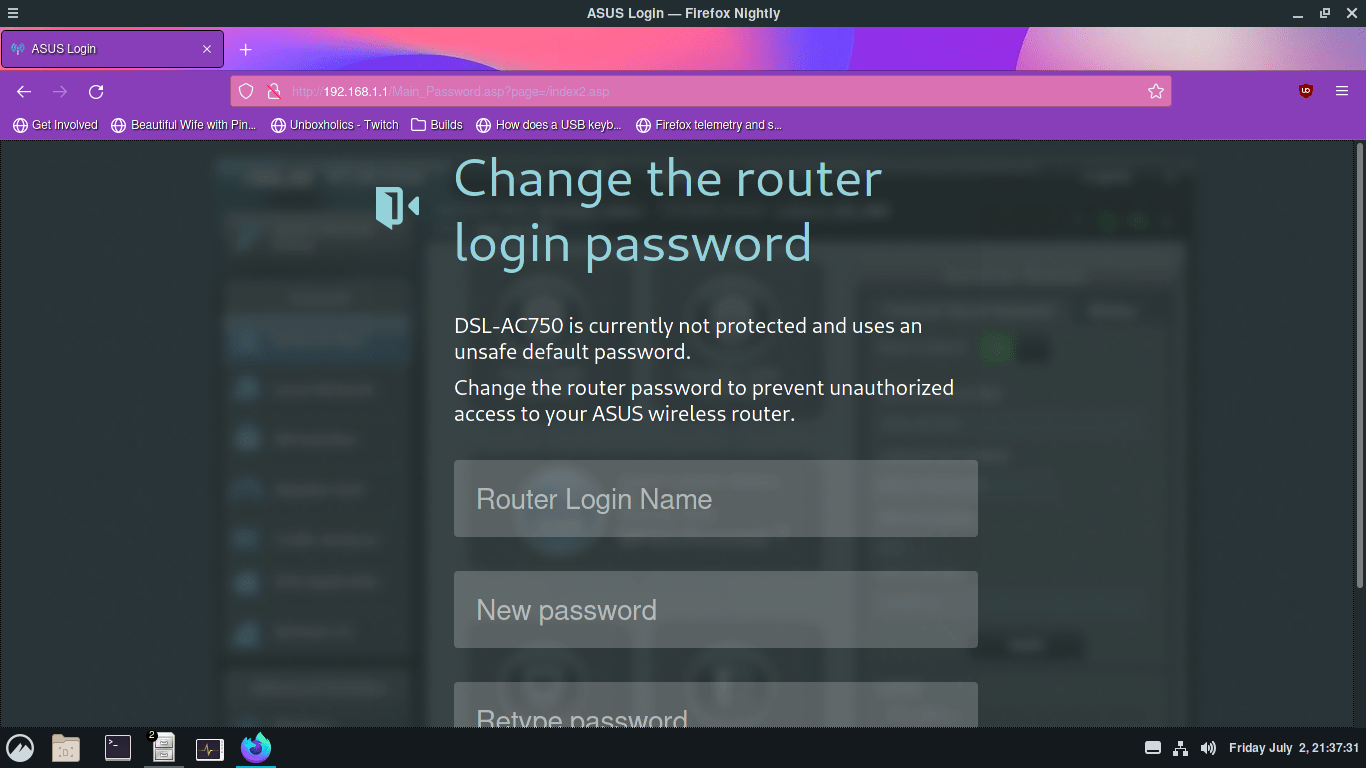
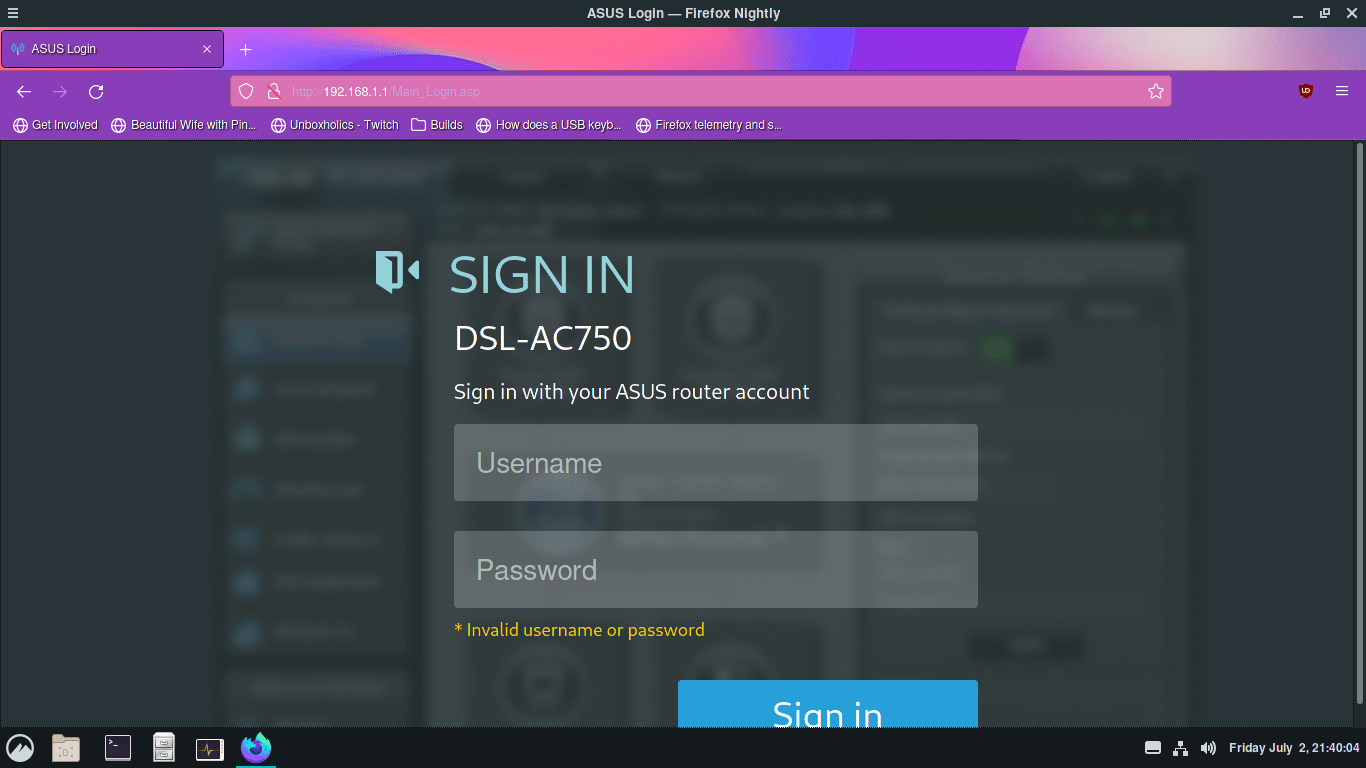
On setup page after a reset, if you skip the username password configuration, then configure the wifi and press Complete the router will drop you to a page to configure the username and password. After doing this i tried to upload the firmware and when the proccess was done (router reboot) i was locked out of the account (default credentials or the one i choose not working). I posted some pictures down for this.
Attachments:
Liked by:You need to login in order to vote
July 2, 2021 at 8:05 pm #14213I will have a chat with ASUS next week, can you send another feedback form to ASUS and put at top of comments box ‘UK Sentinel’ and detail your concerns and then I can chase them next week
The OPENSSL 1.0.2d is not good and does not follow changelog, very odd ?
Good work from yourself
Liked by:You need to login in order to vote
July 2, 2021 at 11:38 pm #14214I dropped an email to broadband with all the problem and OpenSSL and putted the name there. Thanks and yes using on 2021 OpenSSL 1.0.2d is bad.
Liked by:You need to login in order to vote
July 3, 2021 at 5:15 am #14215[quote quote=14214]I dropped an email to broadband with all the problem and OpenSSL and putted the name there. Thanks and yes using on 2021 OpenSSL 1.0.2d is bad.[/quote]
You need to login in order to vote
- AuthorPosts



- You must be logged in to reply to this topic.