

› UKTH forums › 🛜 Wireless Routers & Modems › ASUS & Wireless › DSL-AC68U – Best settings? Hi. I have the DSL-AC68U and it has worked reliably for me for 2+ years. I was wondering if there were any recommended settings to improve connection speeds,...
- This topic has 19 replies, 3 voices, and was last updated 5 years, 5 months ago by
 UK Sentinel.

- AuthorPosts
- January 30, 2021 at 7:57 pm #11756
Much simpler, go to CMD prompt and type “telnet <IP address>”
MAke sure option on router allows for Telnet also ?
In a completely sane world, madness is the only freedom (J.G.Ballard).
You need to login in order to vote
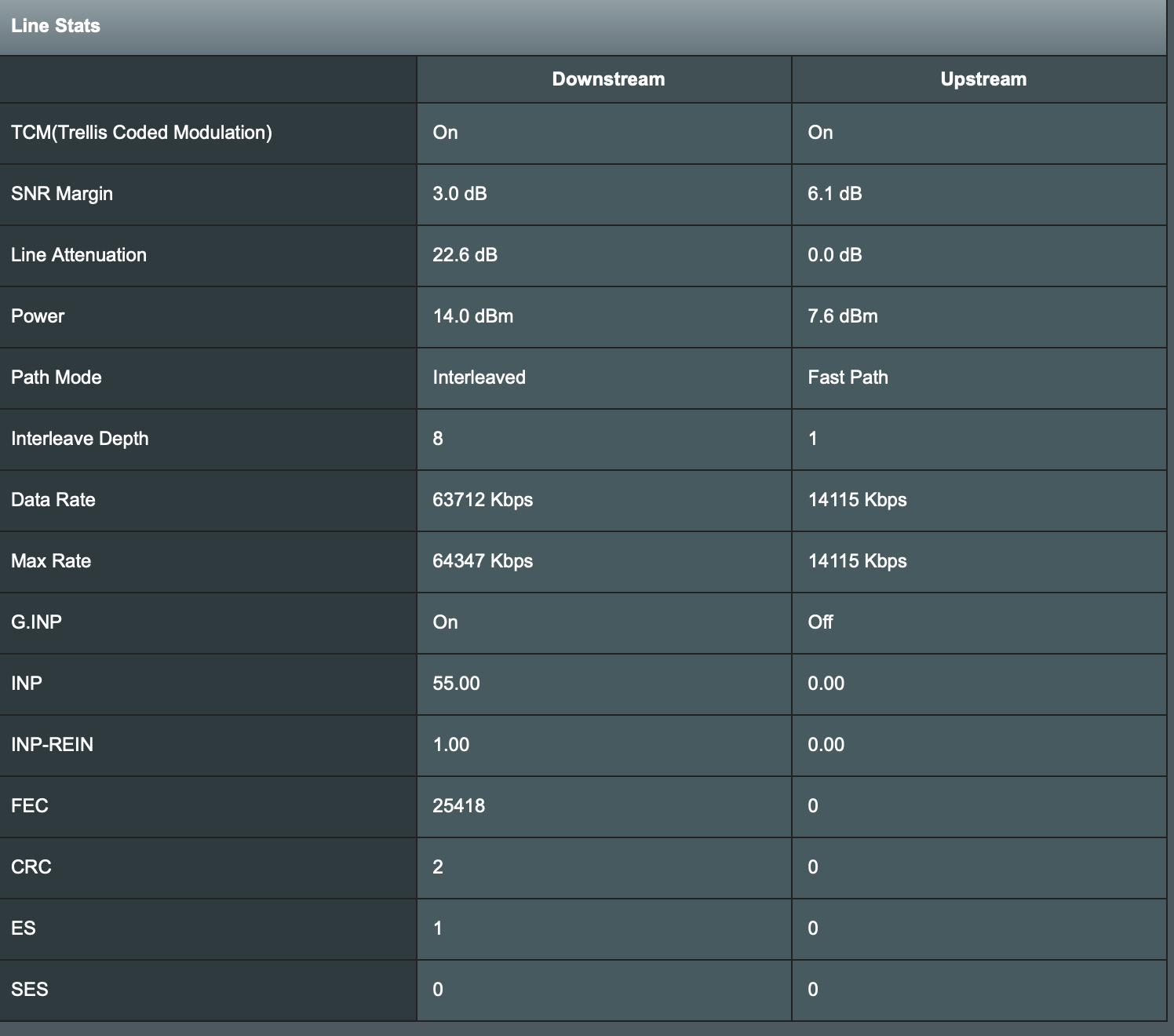
May 16, 2021 at 3:15 pm #13352Decided to buy the DSL-AX82u (delivered today from Amazon) as a future-proof.
Connection speed has jumped 12mb+.
Really pleased.
Upstream now has a lot of noise and has dropped by 4mb, but not noticeable.
Attachments:
You need to login in order to vote
May 16, 2021 at 3:33 pm #13354Decided to buy the DSL-AX82u (delivered today from Amazon) as a future-proof. Connection speed has jumped 12mb+. Really pleased. Upstream now has a lot of noise and has dropped by 4mb, but not noticeable.
Congrats, sounds like G.inp might have been enabled on your connection, hence the increase in sync ?
In a completely sane world, madness is the only freedom (J.G.Ballard).
You need to login in order to vote
May 16, 2021 at 8:26 pm #13372Im not sure what G.inp is Im afraid. I have left the AX82U in “standard” settings, but was getting lag spikes when playing on the PS4 via wifi. Any suggestions on settings to prevent it?
You need to login in order to vote
May 16, 2021 at 8:32 pm #13373Im not sure what G.inp is Im afraid. I have left the AX82U in “standard” settings, but was getting lag spikes when playing on the PS4 via wifi. Any suggestions on settings to prevent it?
Try enabling adaptive QoS and game via an Ethernet connection is much much better than Wifi
If that still feels lumpy, disable adaptive QOS and enable Traditional QoS and set to suit?
Edit: added link for QoS – https://www.asus.com/uk/support/FAQ/1010935/
In a completely sane world, madness is the only freedom (J.G.Ballard).
You need to login in order to vote
- AuthorPosts


- You must be logged in to reply to this topic.