Forum Replies Created
-
AuthorPosts
-
By dirty upgrade, do you mean you upgraded the firmware and didn’t do the factory reset?
Good to hear the update has gone well for you
You need to login in order to vote
Has anyone installed this latest firmware upgrade? Is it stable?
I note that a factory reset is recommended, I assume a config backup / restore should put the device back to it’s current config post the reset?
You need to login in order to vote
OK, thank you.
I will give that a try for the laptop situation first and just put one extra AP in to provide coverage to the Security Cameras
You need to login in order to vote
Thank you for your guidance.
I have a central switch that is connected to the main BT10, everything else is cabled back directly to the switch.
Everything that can be connected via Ethernet is connected that way, the only devices using WiFi are mobile devices, laptops when not working from a desk and IoT devices that can’t be wired.
Thanks for the information RE BT8 and BT10, it was aligned with my thoughts.
I have some security cameras that have low signal strength due to their location and distance from nearest node, this is the reason to add one of the nodes.
The other node will go into a room where I am seeing my laptop, when connected via WiFI6, struggling to maintain a connection and dropping out as when in this location it is the middle of the two nodes. (It works fine when I bind it to one of the nodes as a workaround but this isn’t an ideal solution).
Even the BT8 nodes are probably overkill for these use cases but want to ensure I maintain a secure and stable home network.
You need to login in order to vote
Has anyone got any experience of adding a BT8 node to an existing BT10 AIMesh set-up?
I have 2 x BT10 devices – One set up as the primary, in router mode and connected direct to ISP ONT, and the second as a node connected to the primary using the Ethernet Backhaul.
I need to add a couple of more nodes to provide additional coverage and have been looking at the slightly cheaper BT8’s and wondered if these would work without issue in an AIMesh with the BT10s as they are part of the same family with same features etc or if I should just spend the extra and keep all units the same.
All nodes will be connected via Ethernet Backhaul.
You need to login in order to vote
No problem, the manual set-up rather than using the built in toggle switch in the Web GUI to enable it solved the problem (it still shows as disabled in the WebGUI)
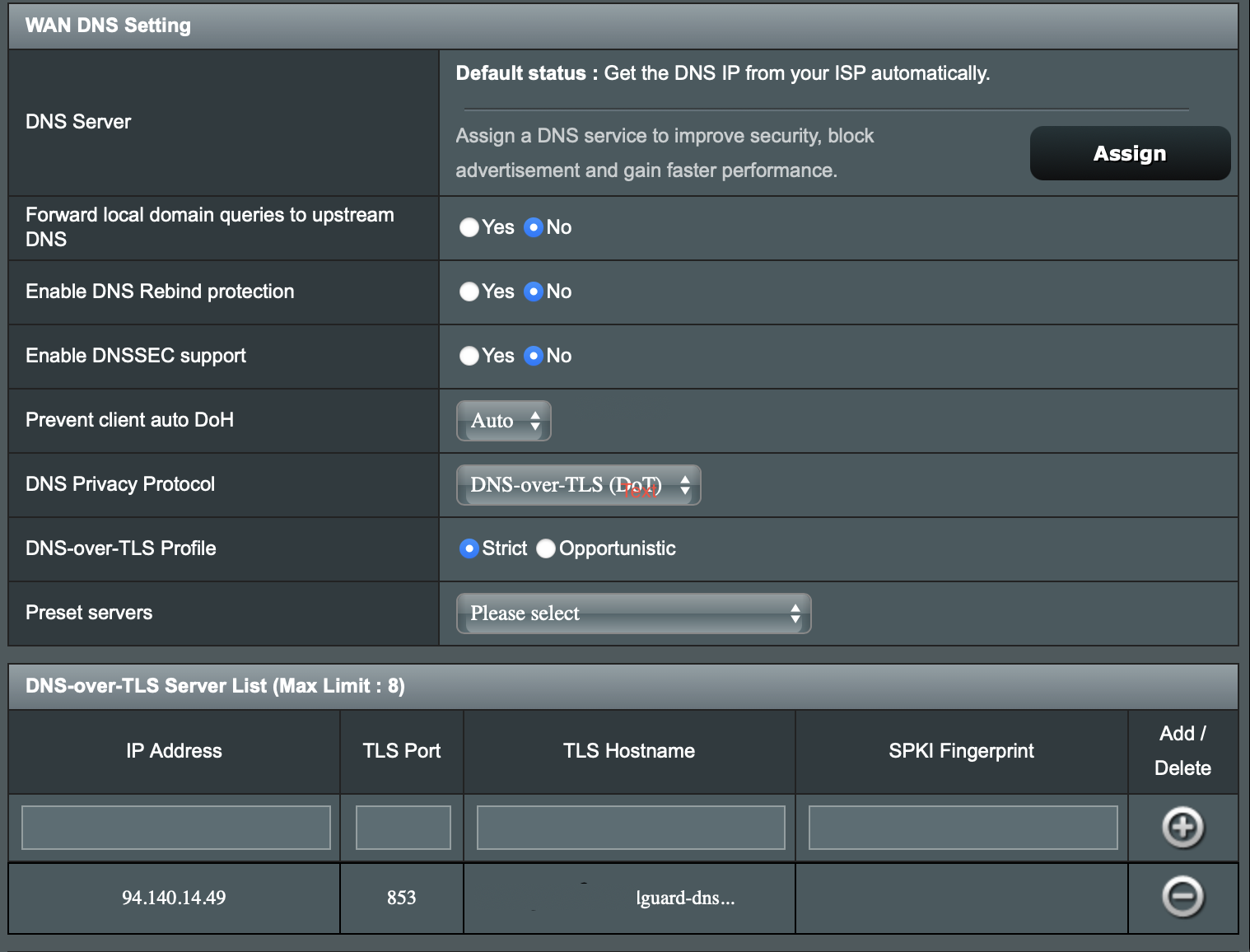
The manual set-up also added and extra IP4 and 2 x IPv6 address details to the DNS over TLS server list.
All DNS traffic is now encrypted which I can see on the AdGuard dashboard.
Happy to have got this working
Liked by:
You need to login in order to vote
Just a quick update on this, I had a good E mail exchange with AdGuard support and they confirmed the primary WAN DNS servers should be set to their public DNS servers, rather than the default ISP DNS, and they then advised how to set everything up manually (rather than via the toggle switch) for DNS over TLS.
They also got me to set up my DDNS details within the device (router) settings within AdGuard.
It is likely the problem I was experiencing was caused by a change in my public IP / WAN address.
I made the changes on Sunday afternoon and so far so good.
Liked by:
You need to login in order to vote
Thanks – I am going to leave it a few days so that I can confirm everything remains stable following the change I have just made to the WAN DNS settings to use AdGuard Public DNS (AIProtection is still enabled).
If things remain stable I will re-enable AdGuard Private DNS via the Parental Controls (leaving AdGuard public DNS also set).
If I see the same issue as before I will attempt to disable AIProtection and if things stabilise I will re -enable AiProtection and disable IPv6
Annoyingly, the symptoms don’t display immediately, it took about 12 hours last time before all traffic got blocked.
In answer to your initial question, no nothing of interest in the logs.
Liked by:
You need to login in order to vote
Thank you for your reply.
Yes, I will try turning AI Protection off and re-enabling AdGuard later this week when I will be at home and can keep a check on the internet access.
What impact will disabling IPv6 have?
I have also updated the default Router DNS settings from “Get DNS settings from ISP” to the AdGuard’s public DNS settings available from the dropdown
You need to login in order to vote
Has anyone tried to use the built in AdGuard Protection, which can be found under Parental Controls?
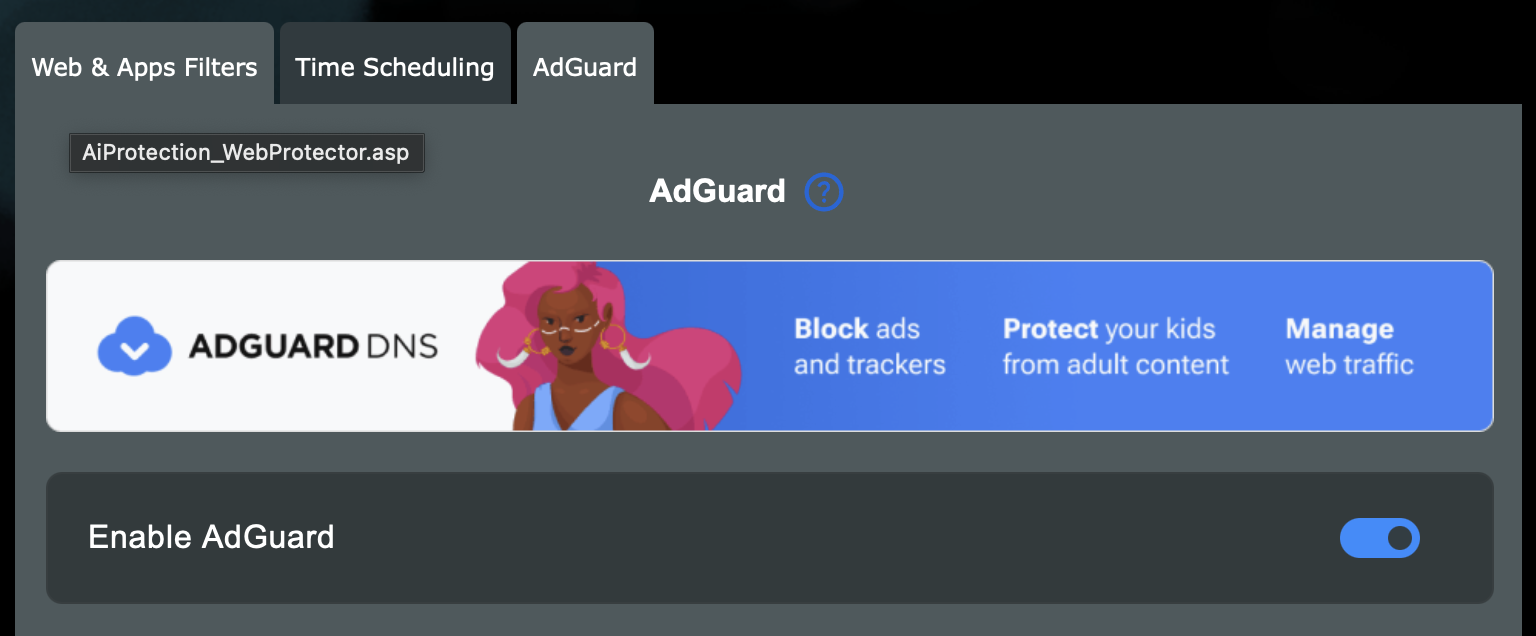
I created my Adguard account and then toggled this on within the router Web GUI and logged into my Adguard account.
Set up the device and pointed it to the default server.
Everything was working OK (I could see traffic in my Adguard dashboard and the test site showed I was connected) and then after a few hours all traffic got blocked for all devices connected to my router.
I couldn’t see anything meaningful in the router logs.
The only way to restore traffic was to disable Adguard.
I left it a few hours, rebooted my router and tried to toggle Adguard on again.
Once again everything was working OK and then after a period of time all traffic stopped and the only way to restore traffic was to disable AdGuard.
Attached are some screenshots of the set-up:
One showing Adguard toggled On
One showing the WAN DNS settings after turing on Adguard
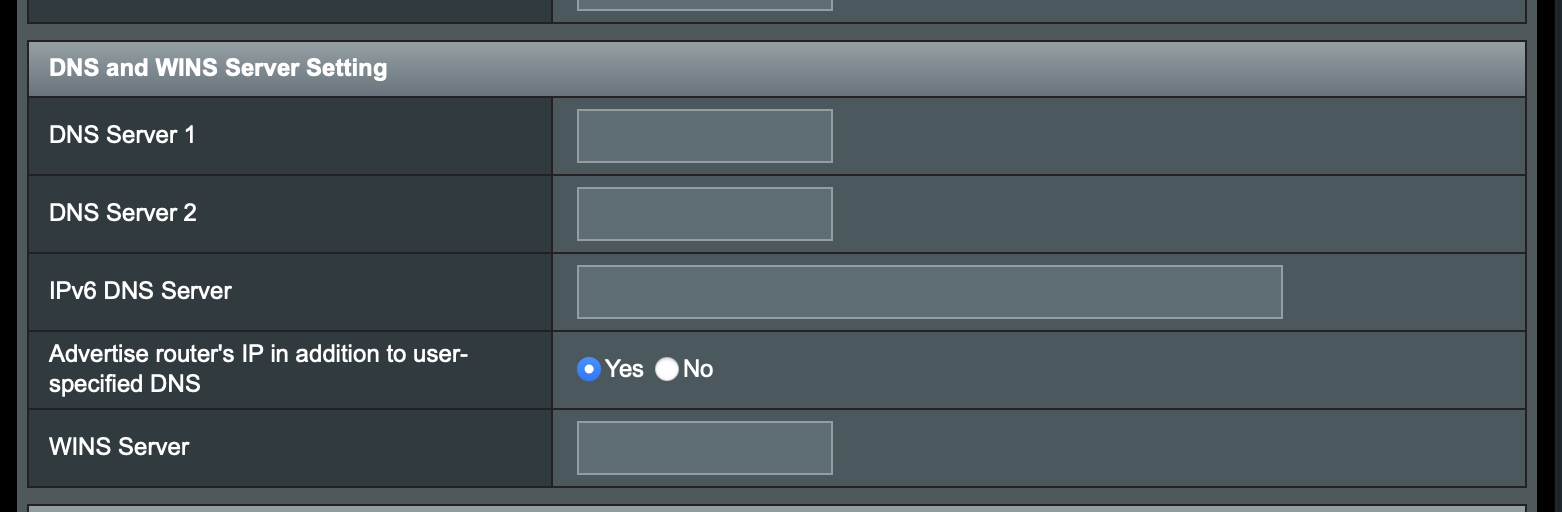
One showing the LAN DNS Settings
One Showing the IPv6 DNS SettingsI have spoken to Adguard support and they have suggested the issues are on the router side with a possible DNS conflict or AIProtect conflict.
On reading the ASUS documentation, no other changes are needed.
I do have AIProtection enabled.
I have raised a support case with ASUS but thought I would raise on this forum to see if anyone else has experience this issue and had any thoughts on how I can resolve this?
-
This reply was modified 1 year, 4 months ago by SimmoUK.
Attachments:
You need to login in order to vote
-
This reply was modified 1 year, 4 months ago by
-
AuthorPosts