

› UKTH forums › 🛜 Wireless Routers & Modems › ASUS & Wireless › ASUS ZenWiFi AX Whole Home Tri-Band Mesh WiFi 6 System Not sure if this is the right place to ask…. I am thinking of upgrading my Google Mesh wifi to the above. Has anyone used this and does it...
- This topic has 1,416 replies, 25 voices, and was last updated 1 month ago by
 UK Sentinel.

-
AuthorPosts
-
August 14, 2024 at 10:04 am #33110
No problem, an AP is only a bridge between the wifi and the rest of your network and as such features like QOS / AiProtection / Traffic Analyzer etc. is disabled at the AP.
In a completely sane world, madness is the only freedom (J.G.Ballard).
You need to login in order to vote
August 14, 2024 at 11:22 am #33111Thank you. Really appreciate the help.
It’s incredibly frustrating as I am being force to use my BT router (in the UK) as it is the only router that supports their digital voice (VOIP) service, which I stupidly subscribed to unaware of the constraint. As such I am having to use their Smart Hub 2 router which lack any QoS features.
You need to login in order to vote
August 14, 2024 at 1:41 pm #33112That is most unfortunate, BT’s implementation of VoIP is proprietary and is only available by using a Smart Hub2.
You could always just put the Smart Hub2 in a cupboard and use another router and number from a 3rd party VoIP provider.
In a completely sane world, madness is the only freedom (J.G.Ballard).
You need to login in order to vote
August 14, 2024 at 1:54 pm #33113. UK Sentinel Said:That is most unfortunate, BT’s implementation of VoIP is proprietary and is only available by using a Smart Hub2.
You could always just put the Smart Hub2 in a cupboard and use another router and number from a 3rd party VoIP provider.
In a completely sane world, madness is the only freedom (J.G.Ballard).
I’m in the same boat but as 99.99% of landline calls were spam, I never unboxed the BT hub and simply don’t have a phone connected.
I believe the business version can be set to bridge mode but not the consumer units.
Liked by:
You need to login in order to vote
August 14, 2024 at 3:07 pm #33114Spam Calls, Yuk! we just use our Mobile phones and I don’t miss Landline Spam calls one bit
In a completely sane world, madness is the only freedom (J.G.Ballard).
You need to login in order to vote
August 14, 2024 at 5:22 pm #33115We get so few land-line calls these days, I am tempted to ditch it. I looked to switch to BT Business broadband recently for this very reason (bridge mode), but then established that they could not port my domestic BT VOIP service across, rendering the whole process somewhat moot.
-
This reply was modified 2 years ago by Ben Park.
You need to login in order to vote
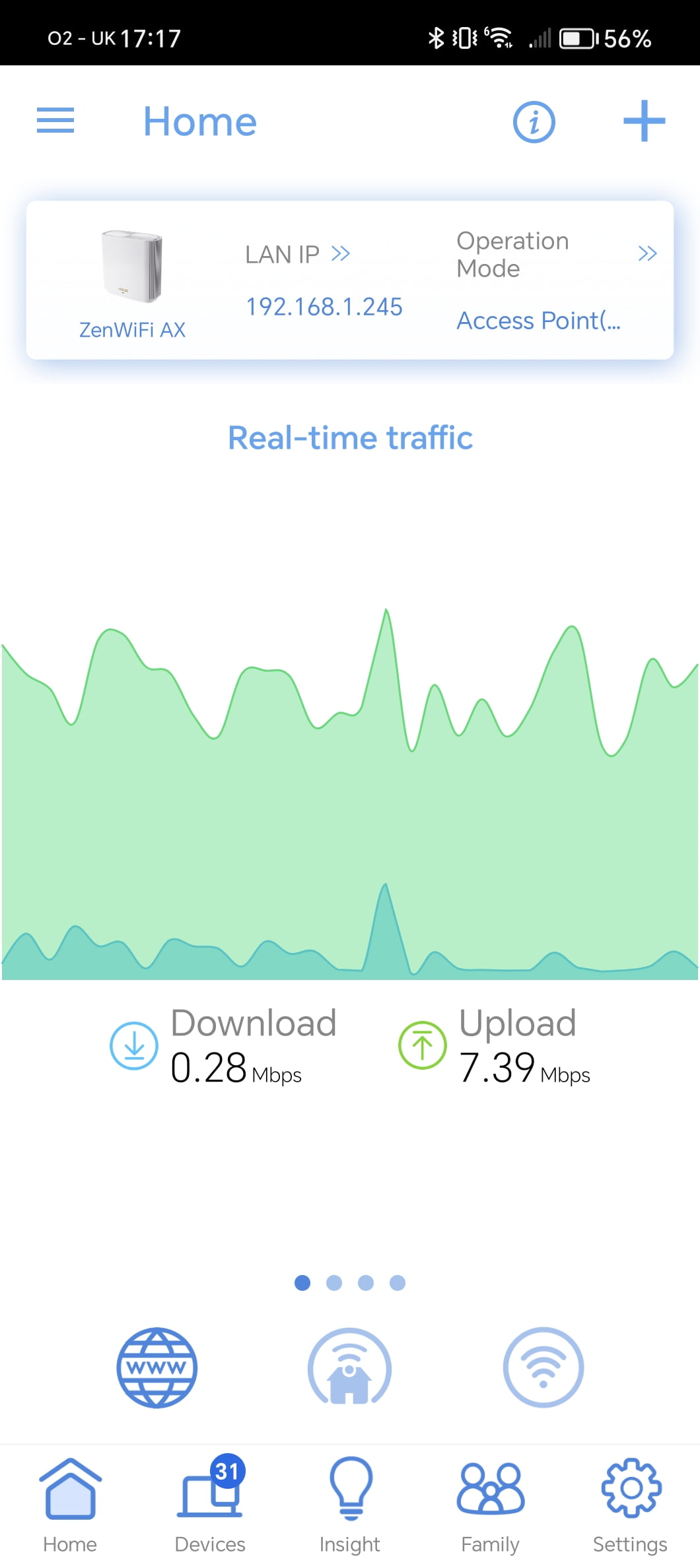
August 14, 2024 at 5:24 pm #33116On a separate note, can anybody tell me how I can locate the device on my network that is apparently consistently uploading (transmitting?) around 7mbps data?
I have hunted around both the Asus app and Web based Admin portal for the Ax6600 and cannot find a way to do this.
Attachments:
You need to login in order to vote
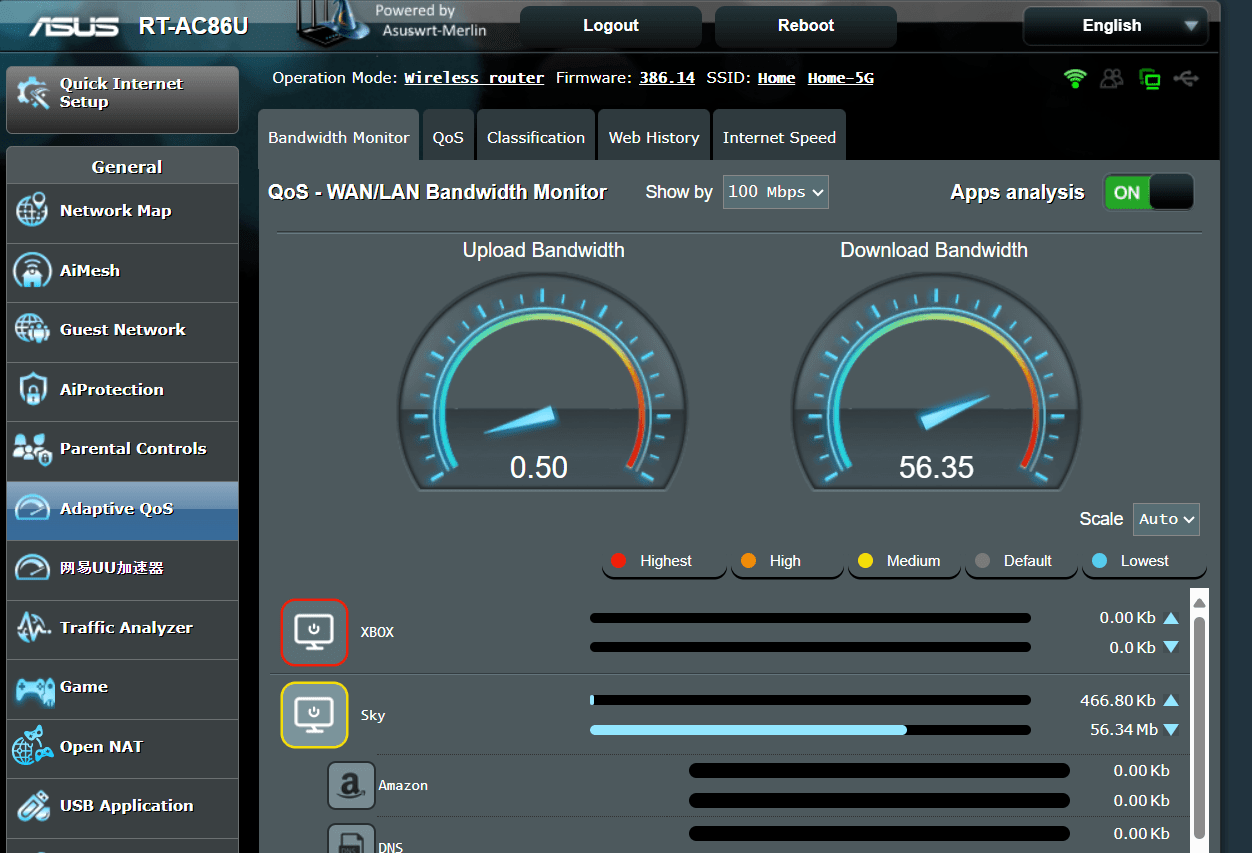
August 14, 2024 at 7:45 pm #33119To see which devices are using bandwidth, go to Adaptive QoS > Bandwidth Monitor and enable Apps Analysis, this will then present you with each device and its bandwidth it is utilising and which services (apps) are eating up the bandwidth.
-
This reply was modified 2 years ago by UK Sentinel.
Attachments:
In a completely sane world, madness is the only freedom (J.G.Ballard).
Liked by:
You need to login in order to vote
August 14, 2024 at 8:53 pm #33123August 15, 2024 at 10:08 am #33126August 15, 2024 at 12:41 pm #33128This sounds like an ideal solution but I confess I lack the technical know-how to set up the double natting. I’ll do some Googling :-)
You need to login in order to vote
August 15, 2024 at 8:23 pm #33129If you dont have clients which need access from outside there would nothing to be done, it will work like before.
Liked by:
You need to login in order to vote
August 16, 2024 at 4:06 pm #33130@benjohnpark To help add to @Grisu good advice, could you check a couple of options on your Smart Hub 2 as I can hopefully guide you thorough setting up one of your XT8 as the main router which can piggy back of your BT’s Smart Hub 2.
Note: Try to take a backup of both Smart Hub and XT8 before you start (if possible)
Can you see if you are able to …. (but don’t actually do it currently)
- Disable wi-fi on the Smart Hub 2.
- At the Smart Hub 2 interface turn off DHCP. go to ‘Settings > Advanced > Home Network > IP addresses’ and deselect the “Use DHCP Server” option.
If the above can be achieved, enable the above options and try the following for one of your ASUS XT8s
- Connect with ethernet cable from one of the Smart Hub’s Ethernet LAN ports to the main WAN port on your XT8
- Configure XT8 as a Router (not node) and then you either need to configure the XT8 WAN port to DHCP or give it a static IP address outside of the DHCP range of the Smart Hub and set the gateway address to 192.168.1.254. Set the LAN range of the XT8 to the 192.168.2.xxx subnet.
Now with the XT8 providing wifi and acting as a proper router, you should now have access to QoS / Bandwidth Monitor etc. and then you could configure your other x2 XT8s as a AiMesh nodes.
In a completely sane world, madness is the only freedom (J.G.Ballard).
You need to login in order to vote
August 17, 2024 at 12:46 pm #33134Thank you so much for this. I will take a look at this. That said, having spoken with the wife, I have now decided to forgo the Digital Voice service, as we barely use it anyway. This would free me up to switch the SM2 out completely.
Without wanting to needlessly throw good money after bad, would the advice here be to replace the SM2 with a decent DSL router? That being the case, it would seem logical to use an Asus model that supports AiMesh, so would there be a specific model that people recommend? My thinking is that if I can use a new router as a mesh node on the ground floor of my house, I can then repurpose the XT8 I have here elsewhere in the house to strengthen my wifi mesh in general (which is weak at the top of my house; 3 floors, very thick walls).
You need to login in order to vote
August 17, 2024 at 5:34 pm #33135That sounds like a very logical approach, ASUS do have the DSL-AX82U and this supports AiMesh, I use one also.
Only negative regarding the DSL-AX82U is that it is Dual Band rather than Tri-Band like your XT8
https://www.asus.com/uk/networking-iot-servers/modem-routers/all-series/dsl-ax82u/
In a completely sane world, madness is the only freedom (J.G.Ballard).
You need to login in order to vote
-
This reply was modified 2 years ago by
-
AuthorPosts




- You must be logged in to reply to this topic.