Forum Replies Created
-
AuthorPosts
-
My old Netgear XR500 running DumaOS had a similar journey. It started out brilliantly, and I really liked its unique QoS and Geo-Filter features. However, over time the focus shifted towards a new direction, and unfortunately the XR500 reached end of life before Netduma fully realised that vision.
I’m not suggesting ASUS will do the same, but it does remind me of how software platforms can evolve, sometimes leaving existing features in a transitional state for quite a while.
That’s why I’m ASUSWRT-Merlin and supported forks all the way.

In a completely sane world, madness is the only freedom (J.G.Ballard).
You need to login in order to vote
I have had feedback from ASUS and the lack of availability of ‘Bandwidth Setting’ for the BT10 is not a bug.
ASUS also say that the new QoE should be available to the BT10, but at the moment there is no schedule.
Off the record, and this is only my personal opinion, it seems as though ASUS is transitioning from Adaptive QoS to Adaptive QoE. As is often the case with agile software development involving multiple software vendors, the transition appears to be happening in stages, with some compromises and caveats along the way.
In a completely sane world, madness is the only freedom (J.G.Ballard).
You need to login in order to vote
August 3, 2026 at 5:42 pm in reply to: TalkTalk Sells 120,000 Customers to Rise Fibre Over Debt Pressures TalkTalk has transferred roughly 120,000 broadband subscribers to startup Rise Fibre in a sudden move to address its £1.4 billion debt pile. The transition officially took effect on 1 August... #43121Interestingly, I believe TalkTalk Users were not notified before the transfer to Rise Fibre, which was finalised as an overnight transaction on 1 August 2026. Information regarding the migration was only provided following the closure of the deal.
according to https://help-centre.talktalk.co.uk/Manage_account/More_account_support/Your_move_to_Rise_Fibre
In a completely sane world, madness is the only freedom (J.G.Ballard).
You need to login in order to vote
From what I’ve seen, this appears to be a firmware/UI regression rather than an intentional feature removal, and it isn’t limited to the ZenWiFi BT10. Users with several recent Wi-Fi 7 ASUS routers (including RT-BE and TUF BE series) have reported that Adaptive QoS no longer lets you manually enter your WAN upload/download bandwidth.
On many of ASUS’s newer firmware releases, particularly for newer Wi-Fi 7 and AI routers, they are moving away from the traditional Adaptive QoS model and replacing it with Adaptive QoE (Quality of Experience).
I will drop ASUS a message and see what the plans are in this are ?
In a completely sane world, madness is the only freedom (J.G.Ballard).
Liked by:
You need to login in order to vote
July 31, 2026 at 3:23 pm in reply to: ASUS ZenWiFi ET12 and Pro ET12– Official Thread New ASUS ZenWiFi Pro ET12 Firmware version 3.0.0.4.388.21739 2022/11/28 Version 3.0.0.4.388.21739 1. Supported WireGuard VPN server and client. 2. Supported VPN fusion. It can easily achieve VPN connection to network... #43104ASUS ZenWiFi Pro ET12 Firmware version 3.0.0.6.102_37457
Release Date: 2026/07/29
Bug Fixes and Enhancements
– Improved network connectivity and stability after reboot or firmware upgrade in certain situations.
– Improved IPv6 connection stability in some environments.
– Improved compatibility for specific IPTV and WAN configuration scenarios.
– Improved guest network setting behavior in certain situations.Security Fixes
– Addressed multiple security issues in system services and web components.
– Improved protection for authentication, configuration handling, file access control, and command processing paths.
– Strengthened security for internal components.In a completely sane world, madness is the only freedom (J.G.Ballard).
You need to login in order to vote
July 31, 2026 at 8:52 am in reply to: ASUS Router Security Update: Fixes Already Available for Impacted Devices ASUS has just published a security advisory covering vulnerabilities affecting some of its router firmware platforms. The issues could potentially allow attackers to carry out unauthorised actions on affected devices... #43103Alas ASUS does not publish effected an effective devices list as such as they (ASUS) tend to fix issues before they are then released to the public domain.
Does seem as though ‘ASUS ZenWiFi BT10 Firmware version 3.0.0.6.102_39110’ addresses this CVE-2026-13385.
https://www.asus.com/security-advisory/
https://nvd.nist.gov/vuln/detail/CVE-2026-13385
In a completely sane world, madness is the only freedom (J.G.Ballard).
You need to login in order to vote
July 29, 2026 at 9:25 pm in reply to: ASUS RT-BE92U – Official Thread New RT-BE92U Firmware 3.0.0.6_102_37025 Firmware 3.0.0.6_102_37025 11/05/2024 – Release note – Bug Fixes and Enhancements: 1. Optimized memory management mechanisms, improving system efficiency and stability. 2. Strengthened input validation and... #43096ASUS RT-BE92U Firmware version 3.0.0.6.102_40311
Release: 2026/07/29
New Features:
– LED Lighting Scheduler: Added scheduling support for LED.
– New Time Zone Options: Added “Vancouver, Whitehorse (PST7)” and “Edmonton, Yellowknife (MST6)” time zone options for Canada.
– Added QoE feature to dynamically optimize network traffic for a smoother online experience.Bug Fixes and Enhancements:
– Improved MAC address display logic on the WDS (wireless bridge) page, fixing cases where the band name and its MAC address were shown incorrectly.
– Fixed an issue where Client List sorting could stop working under certain conditions, and removed a duplicate wired device card in the “By Interface” view.
– Optimized the IPv6 address design for Networks.
– Improved handling of unstable network cables.
– Improved stability during the AiMesh node setup process.
– Improved the reconnection process for IPv6 Plus (Japan) after a reboot or disconnect.
– Improved IPv6 Option handling, including network connectivity after a reboot – following a direct firmware upgrade in certain scenarios.
– Fixed an issue where a physical LAN port could disappear after the setup process when – using the automatic WAN type detection mechanism.
– Improved AP Isolation synchronization for Networks profiles that don’t use a dedicated subnet.
– Strengthened firewall rule configuration for UPnP, improving port-forwarding stability and firewall rule restoration reliability.
– Fixed an issue where the URL-forwarding utility could become unresponsive after an internal network component update.Security Fixes:
– Strengthened data handling in Networks configuration functions.
– Improved data validation in Networks rule list processing.
– Fixed a data-handling issue in the DNS query caching component.
– Strengthened verification when a software component downloads external resources, improving connection security.
– Adjusted the information response mechanism of the device discovery service, strengthening protection of device information.
– Fixed a data-handling issue in a firmware component on a specific model.
– Improved data-display handling in a web function to enhance browsing security.
– Strengthened input data validation in a device-pairing web function.
– Improved data validation in the configuration file upload/sync function.
– Improved how the account service restart process is handled.
– Removed a non-essential internal function endpoint, strengthening overall access control.
– Adjusted the debug file access mechanism, strengthening protection of internal data.
– Strengthened data handling in the system logging function.We recommend upgrading to this version to maintain optimal protection.
In a completely sane world, madness is the only freedom (J.G.Ballard).
You need to login in order to vote
July 26, 2026 at 7:16 pm in reply to: New Official Update: FRITZ!OS 8.25 Released for Multiple FRITZ! Devices [Stable) AVM has officially released FRITZ!OS 8.25, a major stable production firmware update rolled out globally across their hardware ecosystem. . This independent release replaces older 8.0x/8.22 branches and introduces massive... #43082I did read this also the other day, great news that AVM (FRITZ!) has officially kicked off the experimental FRITZ!OS 8.40 Labor (beta) branch, which serves as the testing ground for the next wave of feature upgrades.
Major Features in FRITZ!OS 8.40 Labor- Native DNS Filter Lists: The headline feature is a built-in ad, tracker, and malware blocker operating directly at the DNS level. It allows users to import public adlists and block malicious domains natively across all devices on the network, effectively mimicking a Pi-hole setup without needing external hardware.
- Expanded Matter Support: While AVM introduces Smart Home routines with multiple “if-this-then-that” triggers in 8.40, advanced models like the FRITZ!Box 5690 Pro and 7690 continue to see expanded implementation of the Matter and Zigbee smart home standards.
- Real-Time Traffic Prioritisation: The software automatically identifies and prioritises latency-sensitive data like video conferences and online gaming, showing real-time metrics on the web interface.
- Smart Home Overload Switching: Compatible smart plugs (like the FRITZ!DECT 200/210) can now be programmed to automatically switch off if an attached appliance draws too much power for too long.
https://fritz.com/en/pages/fritz-lab-fresh-from-development
In a completely sane world, madness is the only freedom (J.G.Ballard).
You need to login in order to vote
Good advise, yes mines either faulty or fake, considering I originally obtained them via an online market place, then Fake is more likely
I was young then
In a completely sane world, madness is the only freedom (J.G.Ballard).
You need to login in order to vote
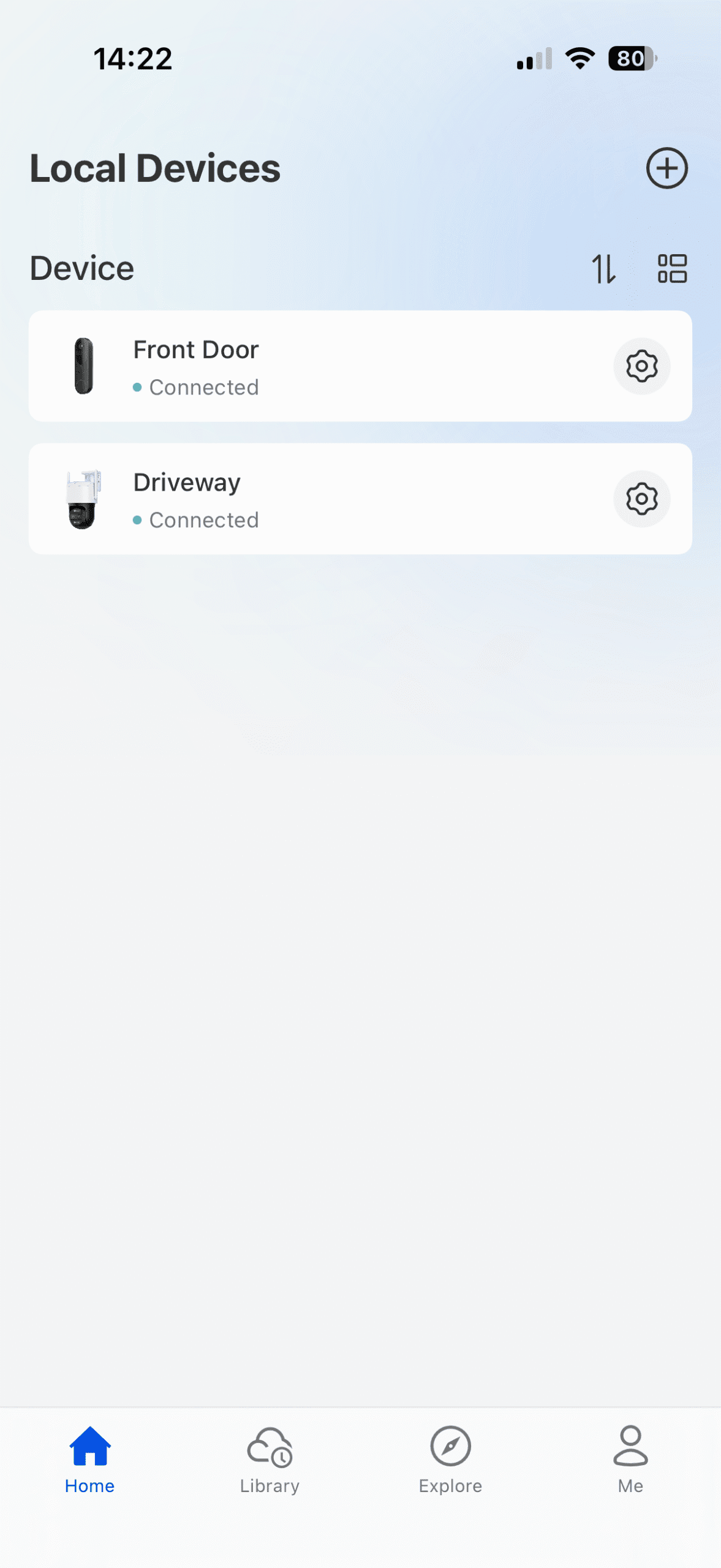
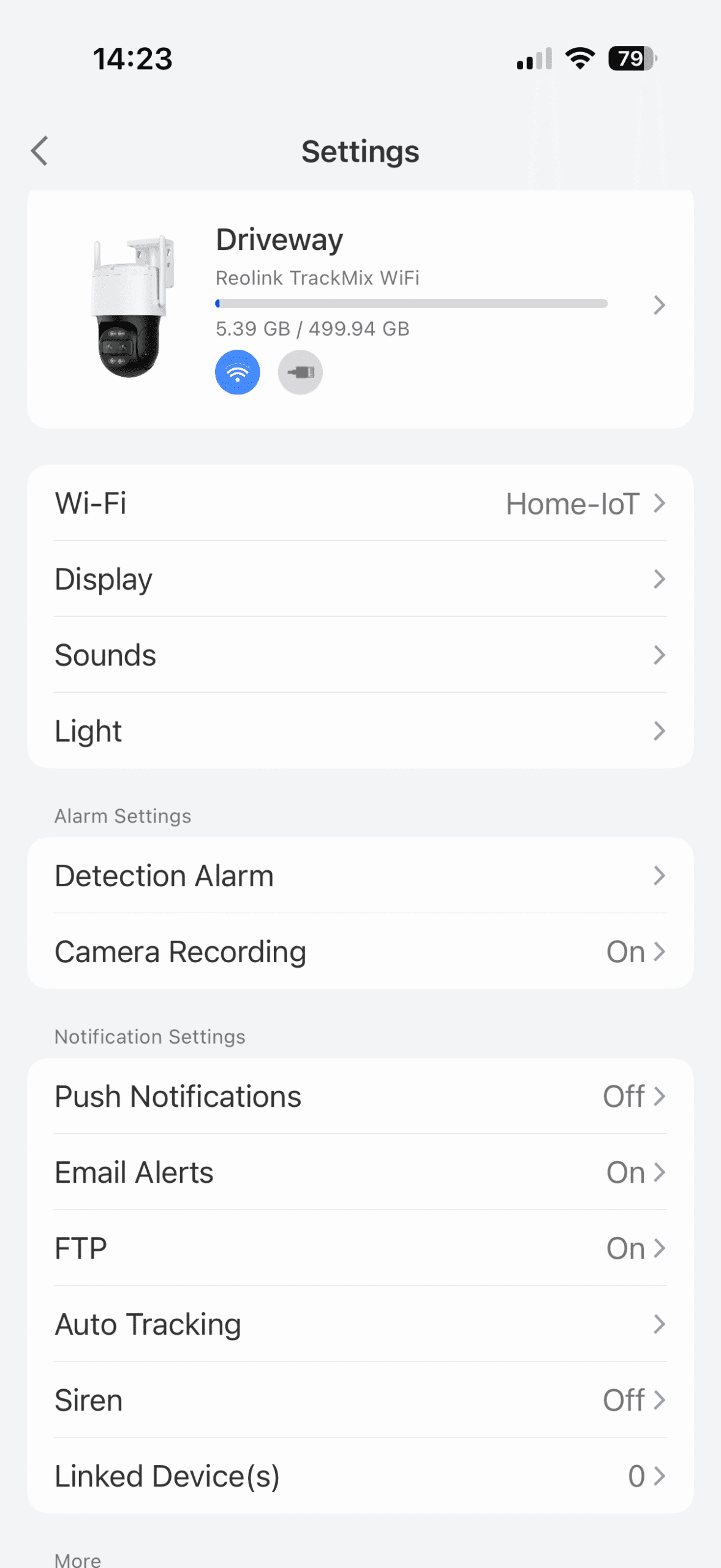
A couple of images of the Reolink app showing both the Reolink Smart Video Doorbell and Reolink TrackMix WiFi 4K Camera
Reolink TrackMix WiFi 4K Camera – App View
In a completely sane world, madness is the only freedom (J.G.Ballard).
You need to login in order to vote
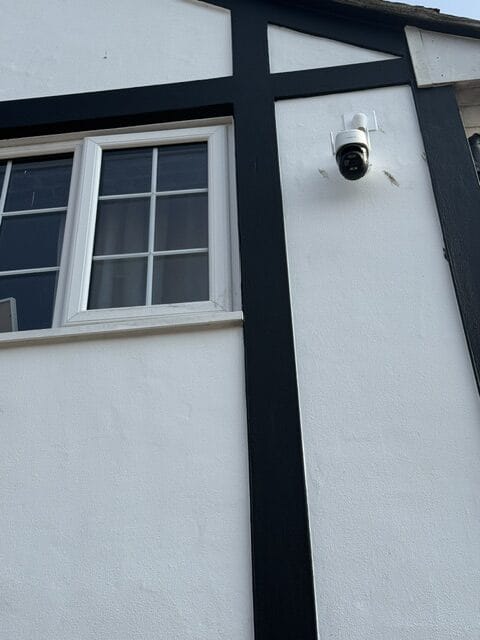
So finally got around to mounting the Reolink TrackMix WiFi 4K PTZ Wi-Fi 6 Dual-Lens Security Camera and thought I would share a picture.
The camera is mounted higher than originally planned because I live in a cul-de-sac and my neighbours asked if it could also cover the areas around their properties. Mounting it at a greater height provides the wider field of view needed to achieve this. However, the trade-off is that it is less able to capture faces clearly at eye level.
Fortunately, a couple of our neighbours, including myself, have smart doorbell cameras. If anything untoward were ever to happen, we could, if necessary, use the footage from these cameras to assist. As they are mounted at eye level, they are also more likely to capture clear facial images than my CCTV camera.
Defence in Depth
In a completely sane world, madness is the only freedom (J.G.Ballard).
You need to login in order to vote
July 9, 2026 at 8:01 pm in reply to: Asuswrt-Merlin 3006.102.8 has now been released – 08/07/2026 Asuswrt‑Merlin 3006.102.8 has been released for supported models, bringing updated GPL merges, improved UPnP compatibility, and enhancements to OpenVPN functionality. Asuswrt-Merlin 3006.xxx Changelog ================================= 3006.102.8 (8-July-2026) - NOTE: There has... #42982So dirty flashed my RT-BE92U yesterday evening and so far no issues, the issues I had with printing to my Epson printer via iPhone has been fixed and I can also now edit and change Clients Name which is wasn’t able to do with 3006.102.6.
Edit; Now also seems to be fixed is the issue with wifi devices (apple) connected at range (weak signal) then lose access to the internet for a few seconds at random interviews and then this scenario repeats a few minuites later, especially my iPhone 16 Pro when I’m at one end of the house streaming music etc.
Early days yet, but a positive start.
-
This reply was modified 1 month, 3 weeks ago by UK Sentinel. Reason: Edit note added
In a completely sane world, madness is the only freedom (J.G.Ballard).
You need to login in order to vote
No problem, what router you thinking of upgrading to at some point ?
In a completely sane world, madness is the only freedom (J.G.Ballard).
You need to login in order to vote
ASUS BE routers usually get at least four years of updates, and ASUS often goes beyond that timeline with their hardware.
ASUS BE routers that support LAN‑side VLAN ID configuration I believe are:
- RT‑BE96U
- RT‑BE88U
- RT‑BE86U
- GT‑BE96
- GT‑BE98
- GT‑BE98 Pro
- GT‑BE19000
Even if two ASUS routers use the same Wi‑Fi name and password, your devices still treat them as different networks. Each router has its own unique “identity”, so when you show up at the other place your phone won’t auto‑connect until you tap it once. After that it remembers it, but when you go back to the first property you’ll need to do the same again. Matching the SSID doesn’t make two separate routers look identical to your devices.
it’s easier to just use a different SSID and password for each location. That way your devices don’t get confused, and they’ll auto‑connect straight away whenever you arrive.
Old BT Routers was far less fussy
In a completely sane world, madness is the only freedom (J.G.Ballard).
You need to login in order to vote
-
AuthorPosts