Forum Replies Created
-
AuthorPosts
-
That is interesting as the norm for PPPoE is IPv6 Native not Passthrough, but obviously a special feature with Turknet Broadband as you detailed above
 I will chat with ASUS and hopefully they can help >Internet Connection> WAN Connection Type set [PPPoE], please select IPv6 Connection type set [Native] https://www.asus.com/support/FAQ/113990
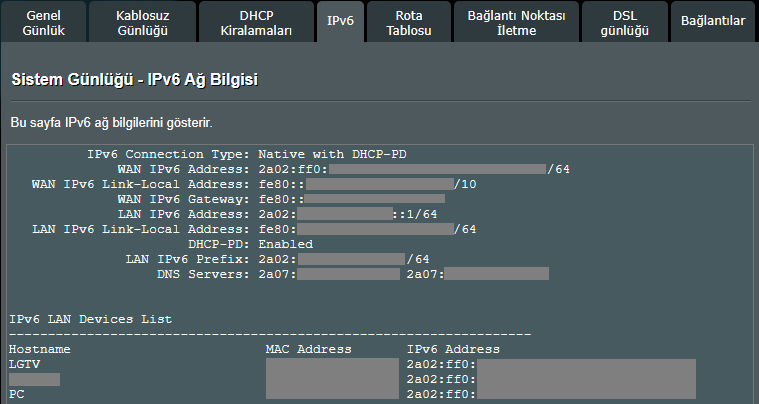
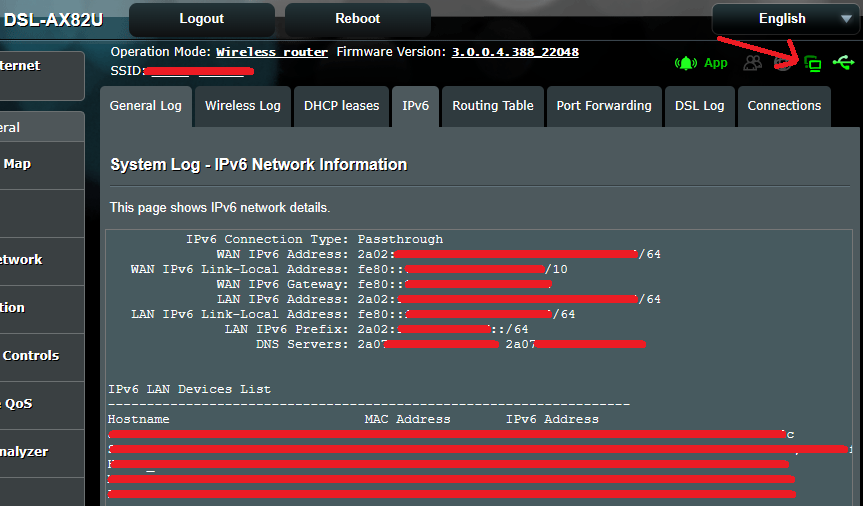
You are right about this because I have been using Native mode for 2 days without any problems. As a result of the backup restore (I had reset the device while shooting a narration video) the already selected Passthrough WAN did not receive the IP. For a change, I switched to Native mode and noticed that it started working. I haven’t changed it for 2 days and it continues to work.
The inconsistent way of working is caused by FW, it has absolutely nothing to do with operator support.Attachments:
You need to login in order to vote
It is said that the results did not change even during times when the Internet was not too busy, such as midnight. Are there any other settings you recommend turning off while testing?
Maybe worth while you trying the same test (current settings) at different times of the day, just to see if you are being effected by local network traffic congestion beyond your home etc. Then if no changes (improvements) on speed, we can disable a few options, maybe ?
I directed those who experienced the problem to the thread here for direct communication, but they disappeared.
You need to login in order to vote
Has anyone noticed a lower sync speed on the latest firmware? I used to synch at 64mbps and now it won’t go above 58 :/
Are you sure about this? Have you tried checking by reloading the old firmware?
You need to login in order to vote
That’s is interesting as video is only 3 months old, lots of variables can effect throughput rates, including how busy your connection is, whether the download speeds vary during the course of the day as you maybe on a shared line etc.
It is said that the results did not change even during times when the Internet was not too busy, such as midnight. Are there any other settings you recommend turning off while testing?
You need to login in order to vote
Is the DSL-AX82U suitable for 1000/1000 Mbps Internet usage via WAN?
I would assume the DSL-AX82U using a WAN based connection will not support full 1GB data transfers, but never seen any bench tests to support this, 900 Mbps sounds more realistic given the DSL-AX82U has a 1.5 GHz multi-core CPU.
The fact that the upload speed reaches 920 Mbps but the download speed is in the 700 Mbps range gives me a feeling of a firmware flaw, which is why I wanted to ask.
You need to login in order to vote
From a Gaming perspective, we use the Netgear XR500 which has a Geo-Filter, that way we reduce the physical distance between players and server
XR500 not in stock but the XR1000 is and for £209. Worth a shot you think? Don’t know if it has cake or anything like that I’ll look it up.
Is the DSL-AX82U suitable for 1000/1000 Mbps Internet usage via WAN? I saw that full speed was not achieved in an active topic. It should show an average of 920/920 Mbps in practice, but it has been reported to show less. At the same time, tests on a bad router provided by the operator are achieving full speed
The official FW was installed and the test was conducted with additional features such as QoS and AiProtection disabled.
Attachments:
You need to login in order to vote
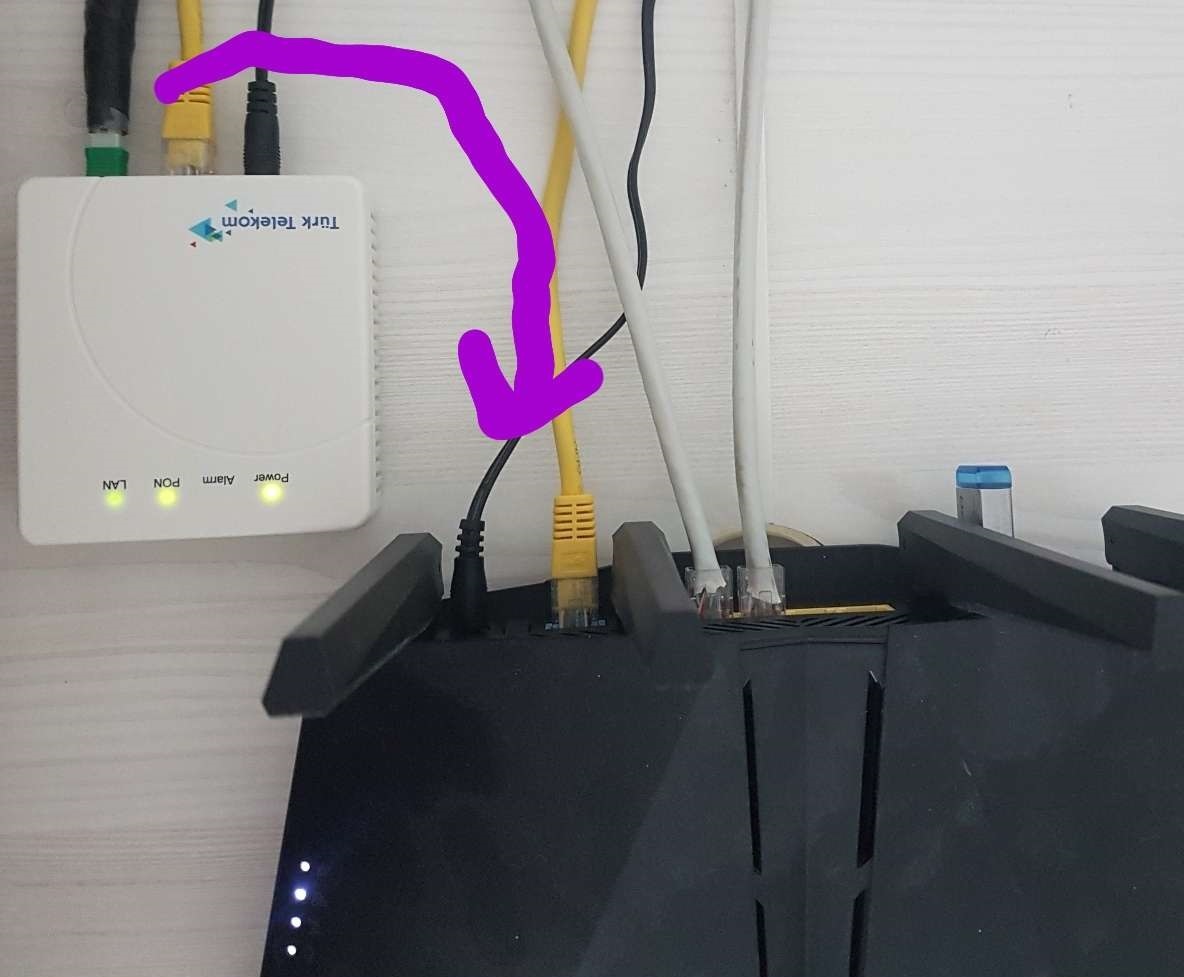
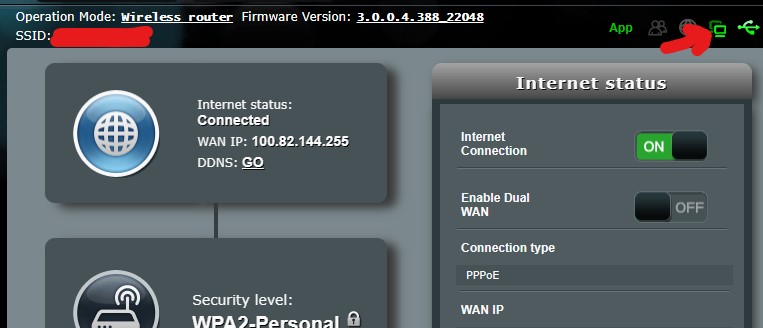
Thank you @uk-sentinel and a small piece of information I would like to add is that I have been using PPPoE over FTTH for 7 months, and there have been no problems so far. The Asus WRT interface has all the necessary settings for PPPoE. Before the team came to set up the transition from VDSL to FTTH, I had already made the same VDSL (WAN) setting as WAN (WAN). When the fiber connection was made, it was sufficient to just connect the ONT’s LAN port to the Asus WAN port, and my Internet access continued uninterrupted.
Liked by:
You need to login in order to vote
Can anyone fully confirm that the router does have PPPoE support on WAN? I know you said it does but that was using a modem infront. The reason I bring this up is I nearly got stung with just thinking every router supported PPPoE directly. Case in point: The eero 2nd gen routers. These only work when you have a modem infront to handle the PPPoE. If you connect the eero 2nd gen directly to the ONT for FTTP, you won’t actually get internet as it doesn’t directly support PPPoE.
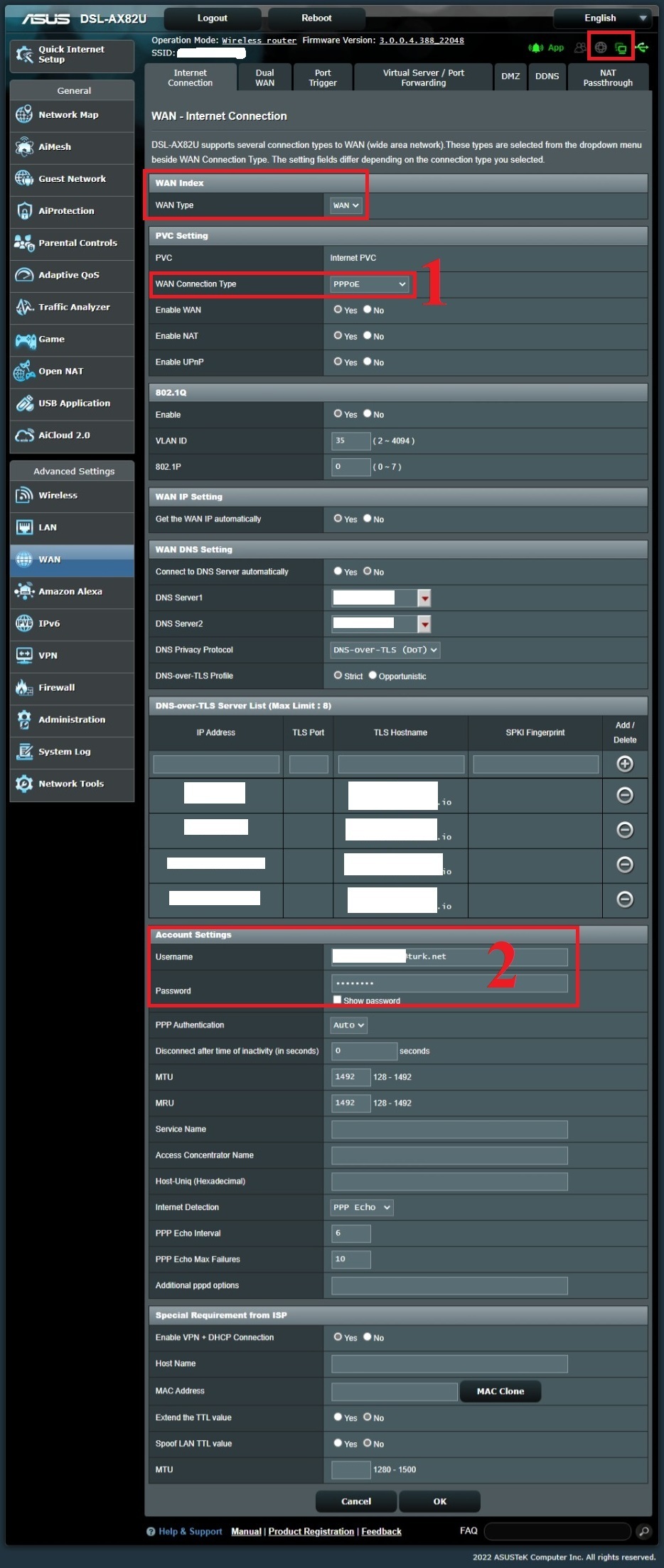
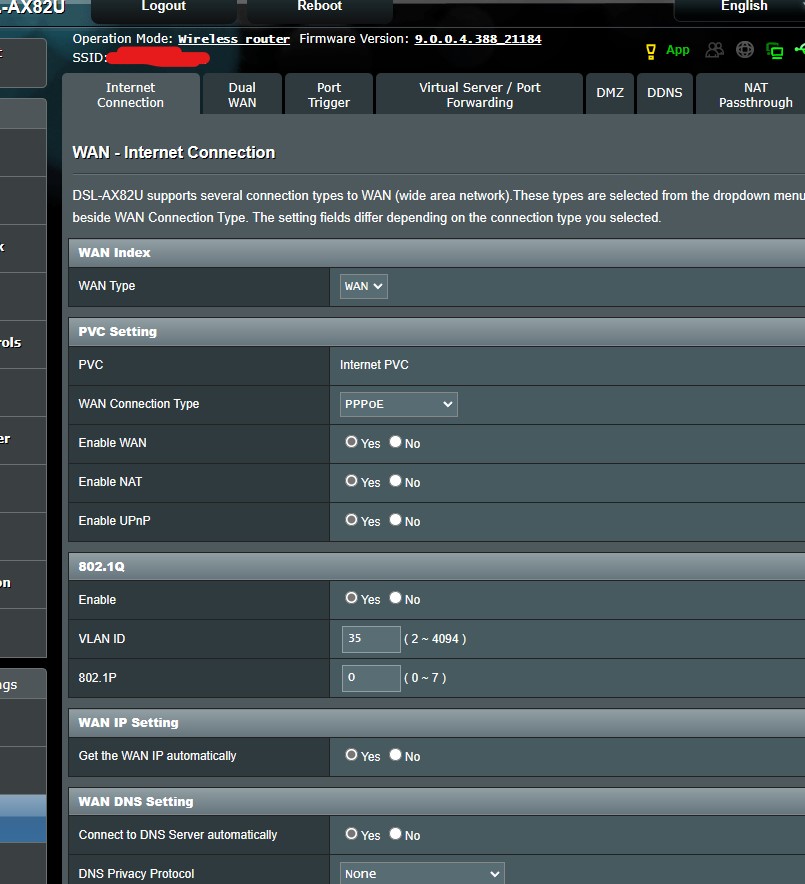
Yes I’m using it with PPPoE directly from the PON device output, but you need to make the 1st WAN setting WAN port WAN because this is a modem and the 1st WAN setting is selected as DSL by default. You can also use the WAN PPPoE setting in the same way as DSL.
I have attached a few screenshots for you, just pay attention to the ones with the red frame.
Note: I am in a different country, so the Internet (VLAN 35), IPTV (VLAN 55), and VoIP (VLAN 46) are provided through different VLAN IDs, so you may see that I have entered VLAN 35 for Internet service, but please ignore this as this option should be disabled in your country.”
Attachments:
Liked by:
You need to login in order to vote
Yes, after these operations, it is still working.
Attachments:
Liked by:
You need to login in order to vote
I wasn’t changing the default so this option was being checked.
Good to know and thanks for sharing this useful information from ASUS
Hope users on forum.turk.net will benefit from this also for IPv6 I will share this with the turknet forum and a few other places related to the modem.
Liked by:
You need to login in order to vote
I wasn’t changing the default so this option was being checked.
Attachments:
You need to login in order to vote
I wanted to share the settings that are working in the interface of a different device.
GUA: DHCPv6
Gateway: SLAACYou need to login in order to vote
That is interesting as the norm for PPPoE is IPv6 Native not Passthrough, but obviously a special feature with Turknet Broadband as you detailed above <noscript>
</noscript> I will chat with ASUS and hopefully they can help <noscript></noscript> WAN >Internet Connection> WAN Connection Type set [PPPoE], please select IPv6 Connection type set [Native] https://www.asus.com/support/FAQ/113990When I select [Native], it does not work in the beta version (9.0.0.4.388_21184) and in older versions as well.
I had tried testing on an old ZTE modem a while ago and it worked, so I don’t think this has to do with the ISP. It’s only on Asus that it doesn’t detect the presence of the internet and it prevents it from working.
Attachments:
Liked by:
You need to login in order to vote
-
AuthorPosts

 I will chat with ASUS and hopefully they can help
  >Internet Connection> WAN Connection Type set [PPPoE], please select IPv6 Connection type set [Native]