Forum Replies Created
-
AuthorPosts
-
When I returned to the old beta software, the problem persisted again.
The problem starts when IPv6 is turned on, I turned off this feature and it was fixed.Liked by:
You need to login in order to vote
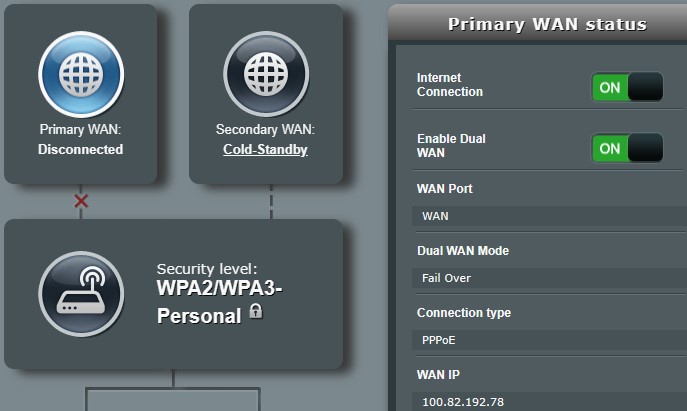
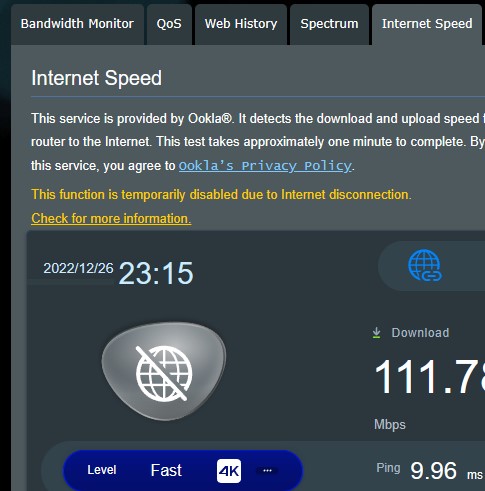
It tells me I don’t have an Internet, so some features are disabled. I can send this message, I have an Internet, :) The beta didn’t have this problem, but it did occur in the full release.
I can’t access my Internet through the access point that I put upstairs in addition to the ones above
Problem Solving: Turn off “Network Monitoring > DNS Query”
You need to login in order to vote
Hi all, Asus GUI showing new firmware<noscript>
</noscript>Thanks, I was able to upgrade directly to the beta version I had installed.
3.0.0.4.388_22048-gf313579
Security Fixes and Improvements:
– Update OpenVPN to 2.4.12 for CVE-2022-0547.
– Update strongswan to 5.9.8 for CVE-2021-45079, CVE-2022-40617.
– Fixed status page HTML vulnerability. Thanks to David Ward.
– Fixed busybox CVE-2022-28391, CVE-2021-42386, CVE-2021-42384, CVE-2021-42382, CVE-2021-42383, CVE-2021-42379, CVE-2021-42380, CVE-2021-42385, CVE-2021-30065.
– Fixed dropbear CVE-2019-17362.
– Updated cURL to 7.84.0.
– Updated libexif to 0.6.24.
– Fixed ntp libevent: CVE-2016-10195, CVE-2016-10196, CVE-2016-10197, isc: fix CVE-2018-5743, CVE-2012-3868
– Updated ffmpeg to version 4.4.2.
– Fxied open redirect vulnerability of web page.
– Updated libssh2 to version 1.10.0 for CVE-2019-17498.
– Fixed cfg_server security issue.
– Fixed HTTP response splitting vulnerability. Thanks to Efstratios Chatzoglou, University of the Aegean.New Features:
– Supported WireGuard VPN server and client.
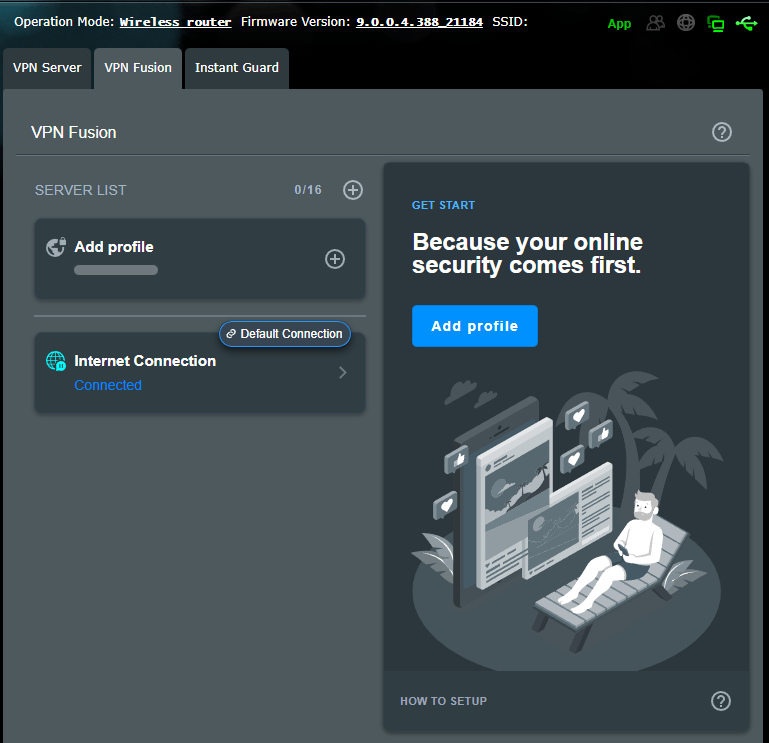
– Supported VPN fusion. It can easily achieve VPN connection to network devices like Smart TV, Game consoles and without installing the VPN client software.
– Supported new devices connection notification.
– Supported connection diagnostic on the ASUS router app.
– Supported Instant Guard 2.0 which helps easily invite family or friends to join the VPN connection.
– Upgraded parental control and added reward, new scheduler for flexible setting.
– Supported Auto USB Backup WAN.Bug Fixes and Improvements:
– Enhanced OpenVPN Client profile parser to support option “ignore-unknown-option”.
– Enhanced DDNS to select method to register IPv4 address automatically.
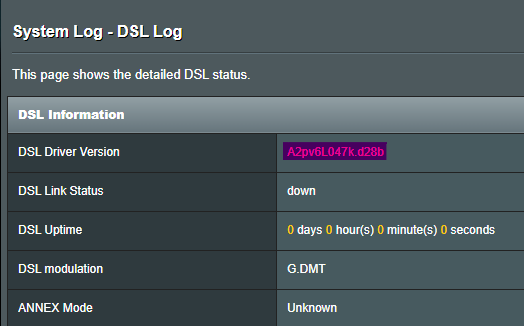
– Updated DSL PHY to A2x028b, A2pv6L047k by default.
– Added DDNS HE.NET support.
– Fixed and enhanced AiMesh related issues.
– Updated OOKLA to 3.8.0.
– Fixed dhd TRAP type 0x4 @ epc 0x39792 case.
– Fixed 5G 160MHz download throughput issue.
– Fixed Block-ACK transmission power have chance to over expectation.
– Added iPhone USB tethering connection support.
– Updated default timeout of DNS query in Networking Monitoring .
– Fixed possible crash issue while using OpenVPN.
– Disabled insecure DSS support of SSH server.
– Fixed IPv6 firewall issue when enabled IPv4 Firewall.
– Fixed the device list on the left side of Web AiCloud cannot correctly display connected devices.
– Fixed Windows 10/11 (22H2) client cannot establish connection with IPsec VPN server.
– Enhanced IPSec server to support packet size exceeds 32K bytes.
– Fixed httpd login lock time issue.
– Fixed memory leak issue of conn_diag.Please unzip the firmware file first then check the MD5 code.
MD5: 8197deaeaf130372c0de6cb3e89625dfhttps://dlcdnets.asus.com/pub/ASUS/wireless/DSL-AX82U/FW_DSL_AX82U_300438822048.zip
Liked by:
You need to login in order to vote
I plugged in the old modem (dsl-ac52u) back just after trying the new one and it had the higher downstream rate.
Do your speed test results come out more than 32 Mbps when you use DSL-AC52U?
You need to login in order to vote
Thanks, there are a couple of tweaks we could apply but if OK with yourself, I will chat with ASUS DSL Team and see if they can advise on what the best options for DSL Settings for Turkey are etc ? Q. is you ISP – Turk Telekomunikasyon ?
Your settings are correct except for the stability settings. Is there a time difference between the two devices or were they tested on the same day?
You need to login in order to vote
Current Version : 9.0.0.4.388_21184-g44bd437
The interface is locked when I want to look at the traffic data (http://router.asus.com/TrafficAnalyzer_Statistic.asp). I was able to access the traffic menu after the restart, but the aura RGB is still problematic. Aura RGB settings cannot be done in the mobile app. The same problem on the WEB page also appears in the mobile application.
Liked by:
You need to login in order to vote
Nothing works in the area in the screenshot. Problematic in all browsers (I tried EDGE, Firefox and Opera).
For example, I can’t turn it on in the Aura RGB off position.Liked by:
You need to login in order to vote
Hi; Does the update include VPN Fusion?
like the previous beta
Attachments:
Liked by:
You need to login in order to vote
For those that are interested, ASUS have just kindly passed to myself a new Beta firmware for the DSL-AX82U for public share with the new feature – WireGuard VPN DSL-AX82U_9.0.0.4_388_20987-g900d10b_cferom_puresqubi.w
As a follow up, the above DSL-AX82U beta firmware, DSL Stability adjustment did not work as reported by other forum members, below firmware has resolved this but unfortunately the DSL driver update had to be regressed. WireGuard VPN is still included in this build<noscript>
</noscript> DSL-AX82U_9.0.0.4_388_21184-g44bd437_cferom_puresqubi.w (3 downloads) Yes it seems to be working now, only the version number has not changed in the interface. Thank you.
Attachments:
You need to login in order to vote
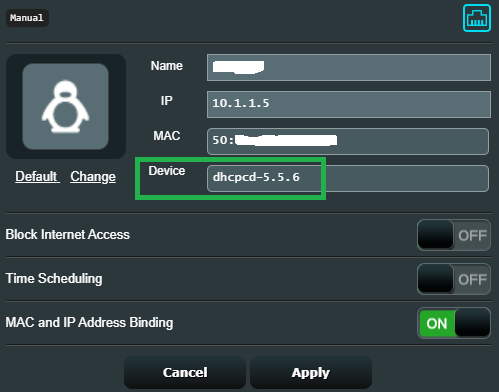
Some device names (samsung smart phone) are a bit flawed (beta fw 9.0.0.4_388_20987)
dhcpcd-5.5.6
android-dhcp-8.0.0Attachments:
You need to login in order to vote
Yes, it doesn’t work in this beta version
I spoke with ASUS regarding DSL-AX82U and “VDSL Stability Adjustment” – ASUS confirmed they are in discussions with chipset manufacturer to get this looked into.
Thanks, this feature is very important for some and provides significant speed gain.
Liked by:
You need to login in order to vote
Other than that, some said they don’t work in “VDSL Stability Adjustment”.
Is that with dsl-ax82u_9.0.0.4_388_20987-g900d10b_cferom_puresqubi.w ?
Yes, it doesn’t work in this beta version
You need to login in order to vote
I couldn’t be sure of that because I had looked at the mobile app before trying a different browser
Understood, let me know if you still find problems with UI ?
I’ve been using it for a few days now and I haven’t had a UI problem.
Other than that, some said they don’t work in “VDSL Stability Adjustment”.You need to login in order to vote
-
AuthorPosts


 </noscript>


 </noscript>