


Forum Replies Created
-
AuthorPosts
-
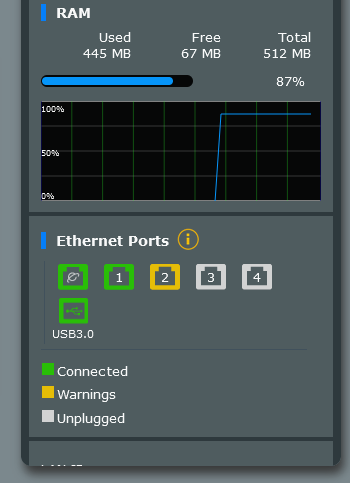
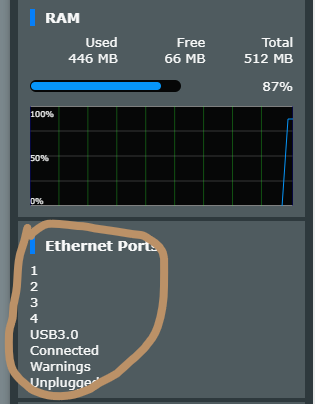
it’s so weird, it fixed when I tried a different browser
Makes sense, I will inform ASUS regarding EDGE browser compatibility

I couldn’t be sure of that because I had looked at the mobile app before trying a different browser.
You need to login in order to vote
it’s so weird, it fixed when I tried a different browser
- flawed in EDGE Browser
- ……
- When I checked with the Firefox it appeared neatly
- I finally checked with EDGE and it was displayed correctly
2. I tried the mobile app before the trials, something might happen in the process. …
Attachments:
You need to login in order to vote
Reason: will you delete my erroneous message
I confused it with the GT-AXE16000 and sent the wrong message. I hope the sellers do it wrong too:)
The GT-AXE 11000 is also a very nice model.You need to login in order to vote
Turknet is not stable for ipv6
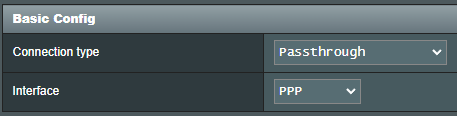
This is not true. If your service is active, it works flawlessly. You need to select the Passthrough mode for a smooth use. TurkNet does not support DHCP-PD. Make sure your Modem/Router supports Passthrough.
If your IPv6 service appears to be active in your ISP, you can check if it is working with the help of a Windows PC.
Connect your Modem/Router to a Windows PC via LAN by putting it in bridge mode and log in your username and password over a PPPoE dial-up connection. If you have access to the Internet, you should also have IPv6 access.Tested on FTTH and FTTC infrastructures. IPv6 does not cause pages to load late or defectively. If you have such problems, it is again caused by the router problem.
Attachments:
Liked by:
You need to login in order to vote
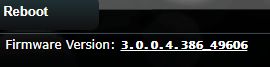
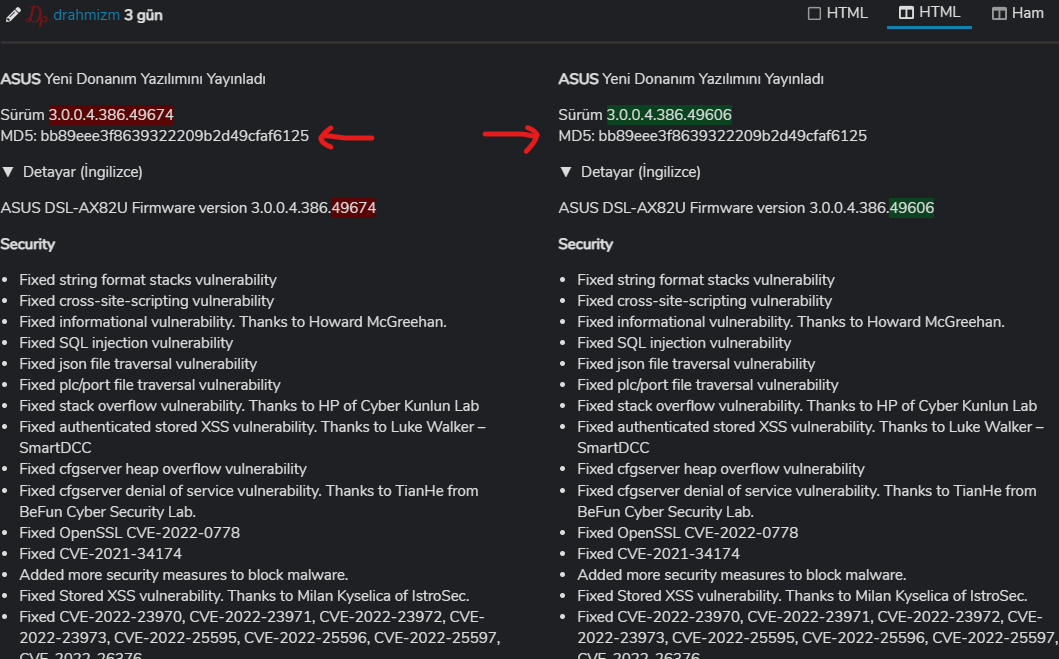
The incorrect version numbering has been made, so it seems to have been corrected.
When I installed the version (49674), the updated version appeared (49606 ). There is no difference between the two versions and the MD5 code. It’s just a simple file naming inaccuracy. 49674 = 49606You need to login in order to vote
Two people returned and said there was no such record. I restarted my modem and I’ll see if it will occur again after a while.
You need to login in order to vote
Did this happen with Version 3.0.0.4.386.45660 ?
Only in the latest version did this problem catch my attention. We would surely have noticed if it was in earlier versions, we have used the previous fw for a very long time, this did not exist.
Understood, I know late last year the DSL-AX82U, did have a PADO and PADS packet timeout PPPoE connection problem, but I had assumed this has now been resolved ? Would be good to hear if other DSL-AX82U owners are also experiencing this issue with firmware Version 3.0.0.4.386_48378 as I can then have a chat with the ASUS DSL team ?
The IP retrieval issue with PADO has been fixed and that part works fine, but it is very interesting that these records appear in the system log because there is no problem. I’ll ask other users of this
You need to login in order to vote
Did this happen with Version 3.0.0.4.386.45660 ?
Only in the latest version did this problem catch my attention. We would surely have noticed if it was in earlier versions, we have used the previous fw for a very long time, this did not exist.
You need to login in order to vote
FW: 3.0.0.4.386_48378
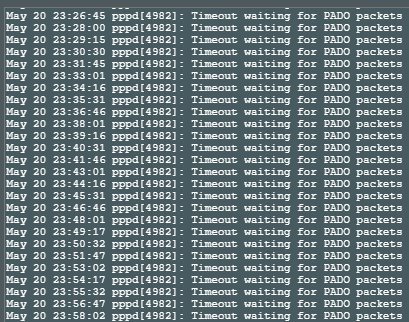
Although there is no problem in its work, I see these logs all the time, there are hundreds.Attachments:
You need to login in order to vote
Glad ASUS reached out to you – I did message them regarding your IPv6 issues so looks like they (ASUS) responded quickly
Which ISP are you with in Turkey, as this is is good for others to know which ISP does not support IPv6 DHCP-PD ISP Name: TurkNet
Other ISPs in the country do not currently use IPv6.Quick turnaround impressive, thank you :)
You need to login in order to vote
Perfect
The developer said that the ISP I am using does not support DHCP-PD and that is why I should use Passthrough.
You need to login in order to vote
Really!!!! can you send a feedback form (like before) and put in comments box ‘UK Sentinel’ and explain issues with IPv6 again
And then copy what you send to ASUS in this forum also
I sent a feedback
Hi,
Ipv6 does not work on connected devices. The ipv6 ping test from the modem interface is successful and cannot output despite ipv6 assignment to connected devices. I can only run it with the “passthrough” option.This feedback was made with the recommendation of ‘UK Sentinel’.
You need to login in order to vote
-
AuthorPosts





 Which ISP are you with in Turkey, as this is is good for others to know which ISP does not support IPv6 DHCP-PD